

 Allpay is a payment system designed for business owners in Israel.
With it, not only residents of Israel can make payments, but also other citizens using foreign cards.
The first setup step is registering on the website https://allpay.to (it will not open with a Russian IP).
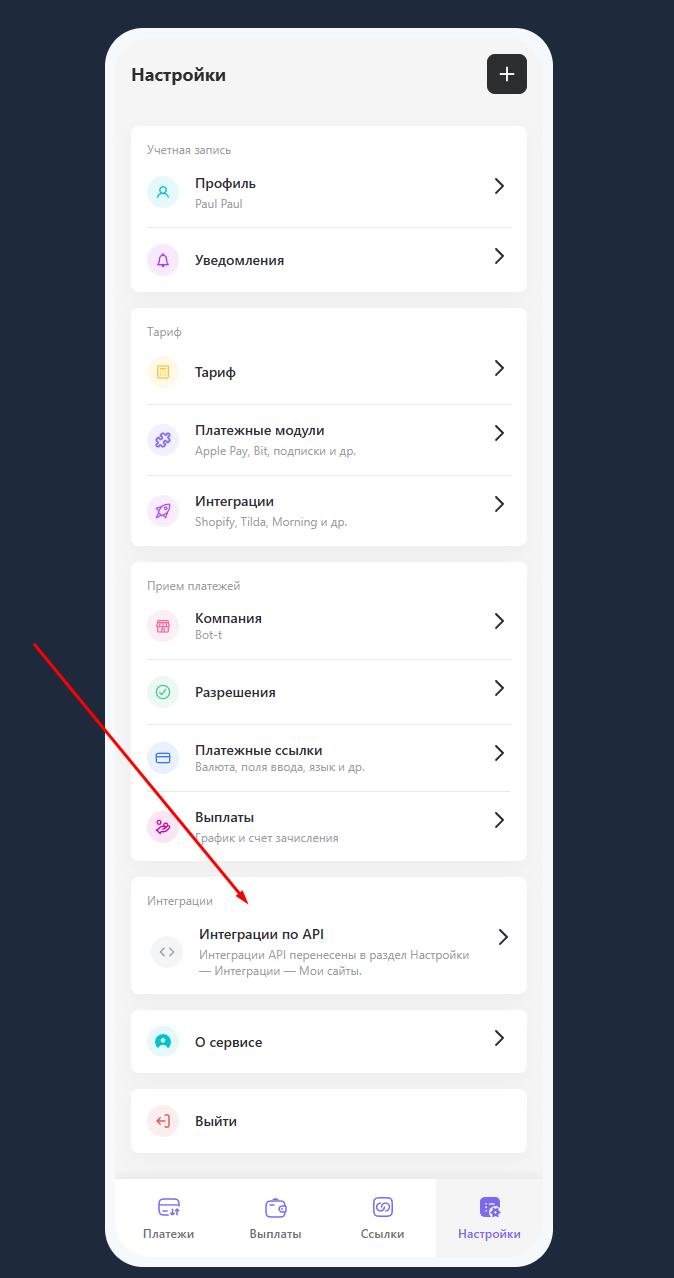 After successful registration, click the "API Integration" button and follow the instructions in the subsequent blocks. Also, in this section, payment acceptance methods are configured.
 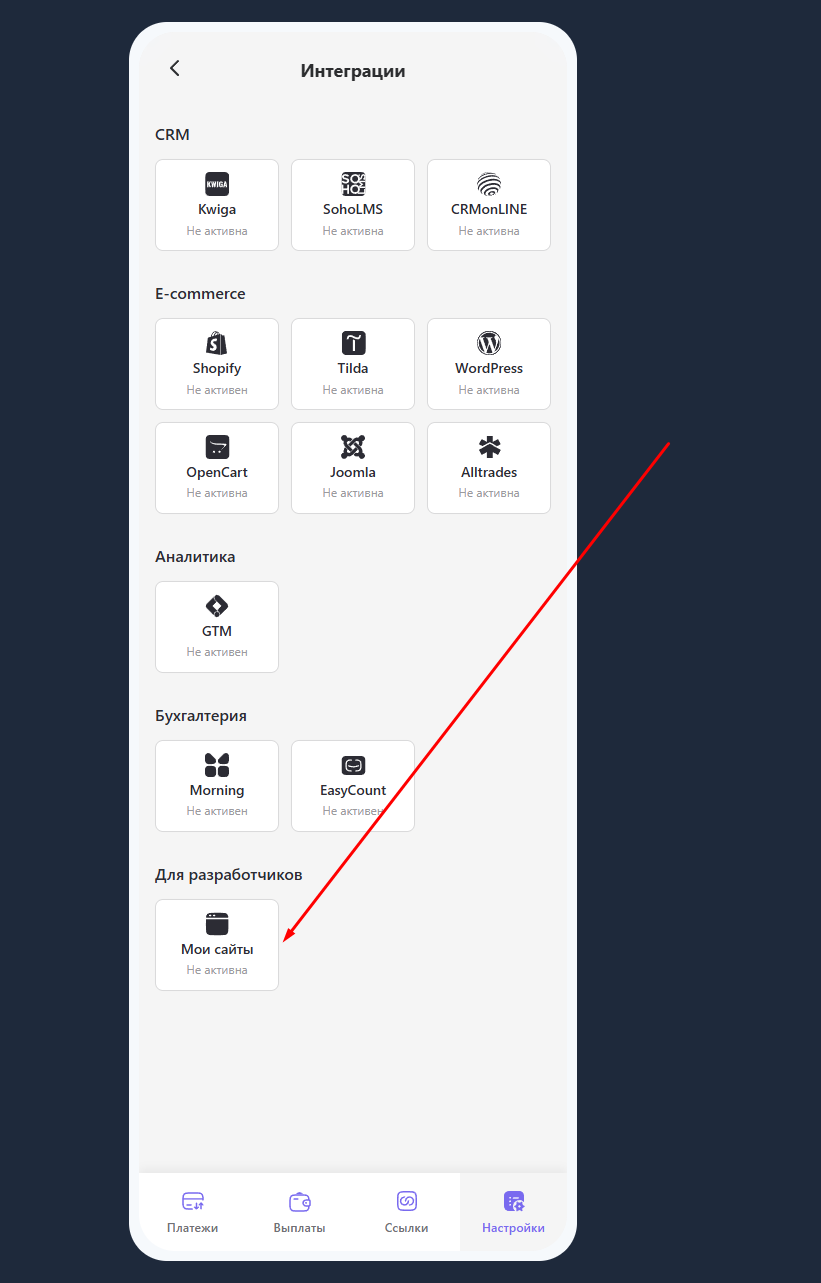 After creating the cash register, your store will be positioned in the Allpay system as a "site". In the "Integrations" section, click the "My sites" button and proceed to generating keys.
 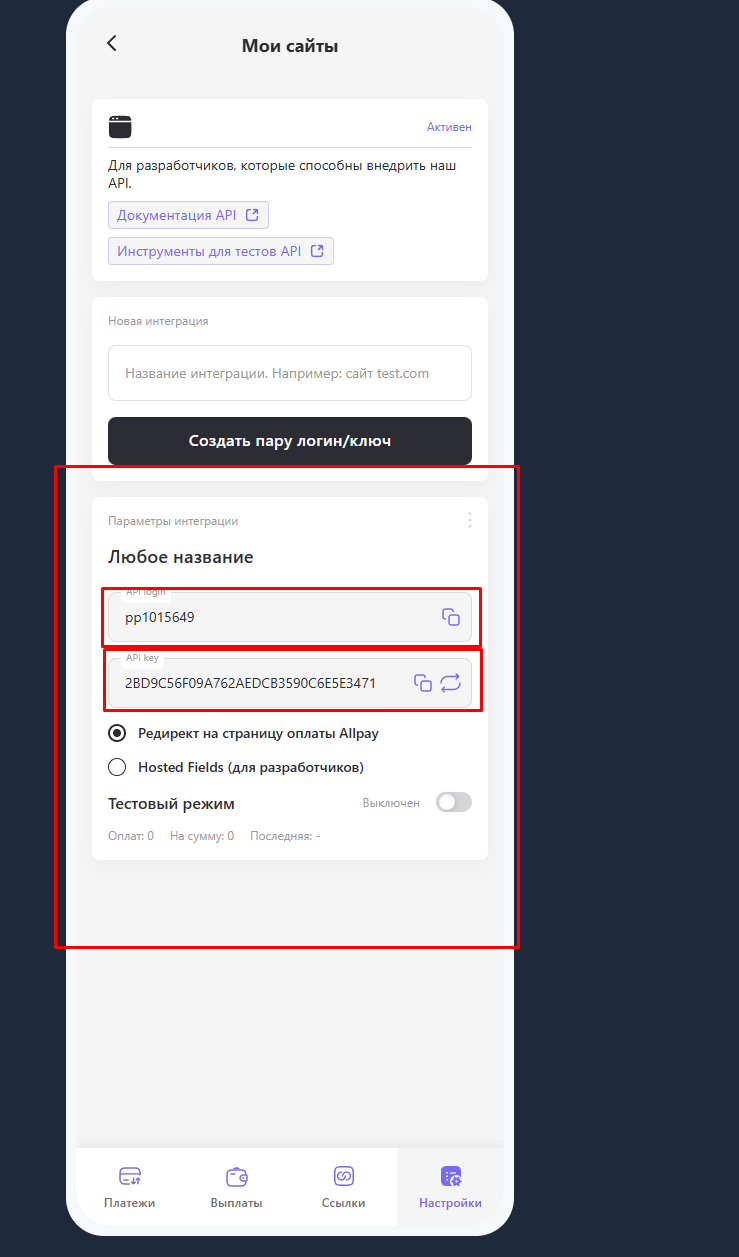 Click the "Create login/key pair" button and copy the generated data — they will be needed for the further setup of the payment system in BOT-T.
 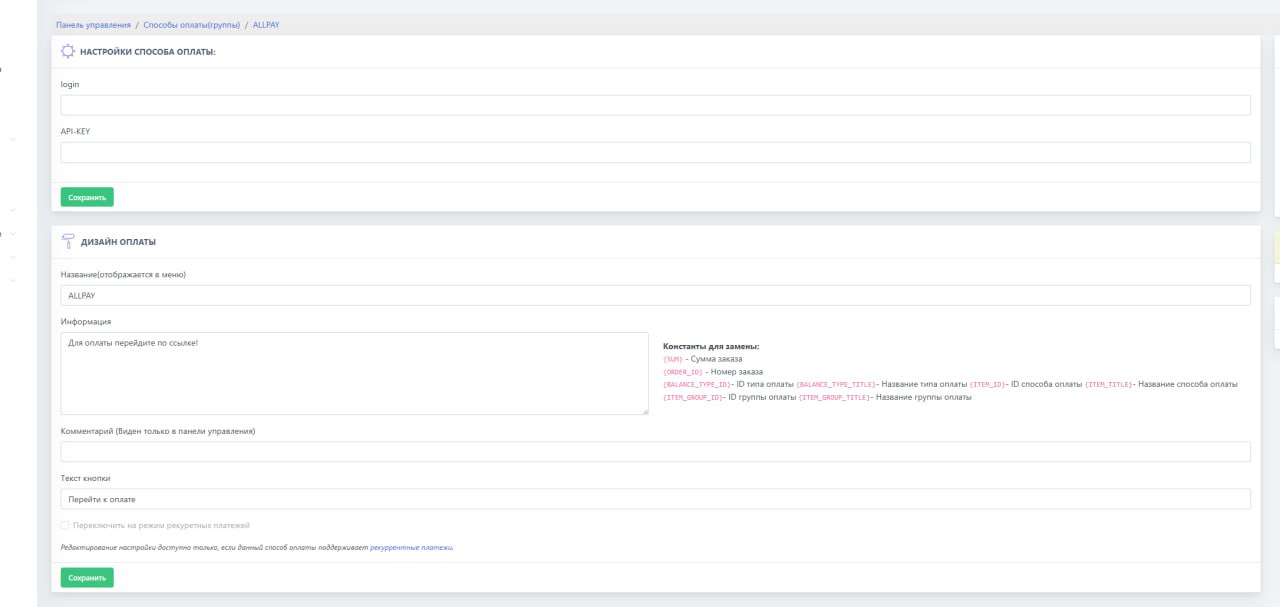 After completing the settings on the payment system website, go to BOT-T and enter the previously copied login and key.