

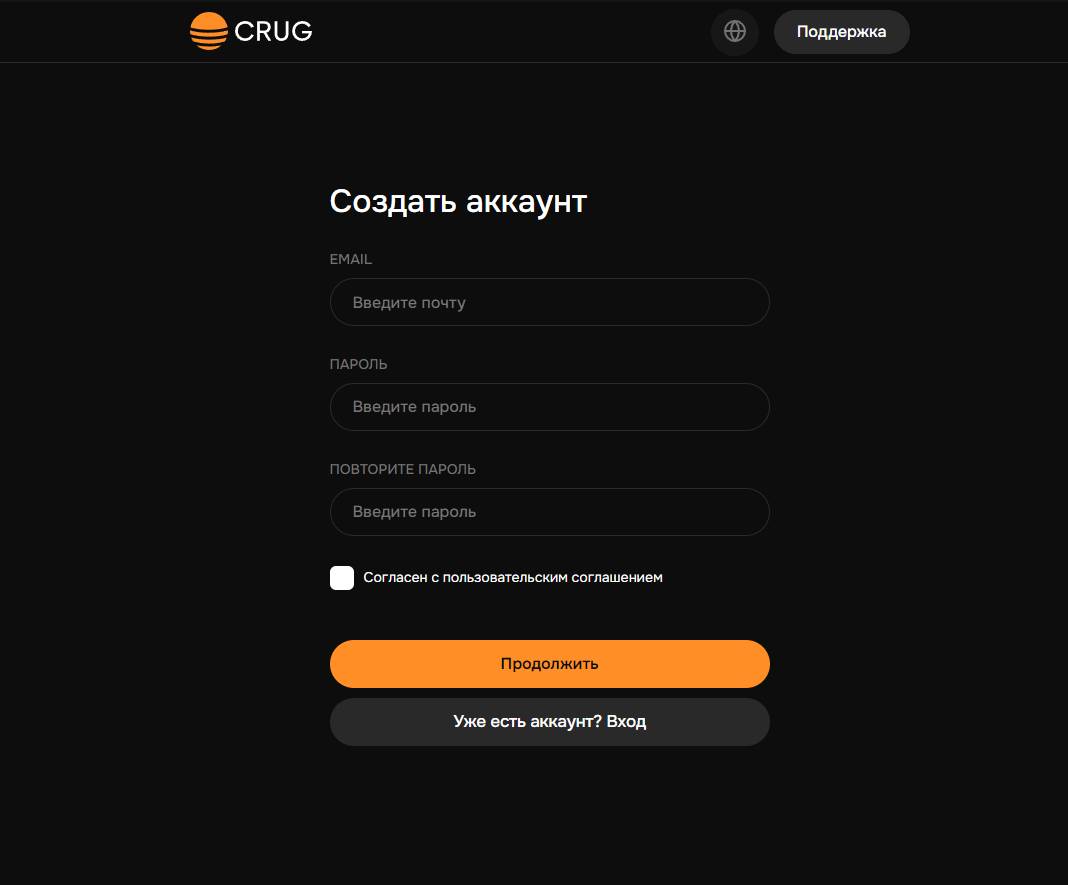
 To set up the cash register CRUG.IO, you need to create an account on their website. This is quite simple: enter your email and come up with a password to log in.
 Creating an account on the CRUG.IO website
To set up the cash register CRUG.IO, you need to create an account on their website. This is quite simple: enter your email and come up with a password to log in. Store moderation on the CRUG.IO website
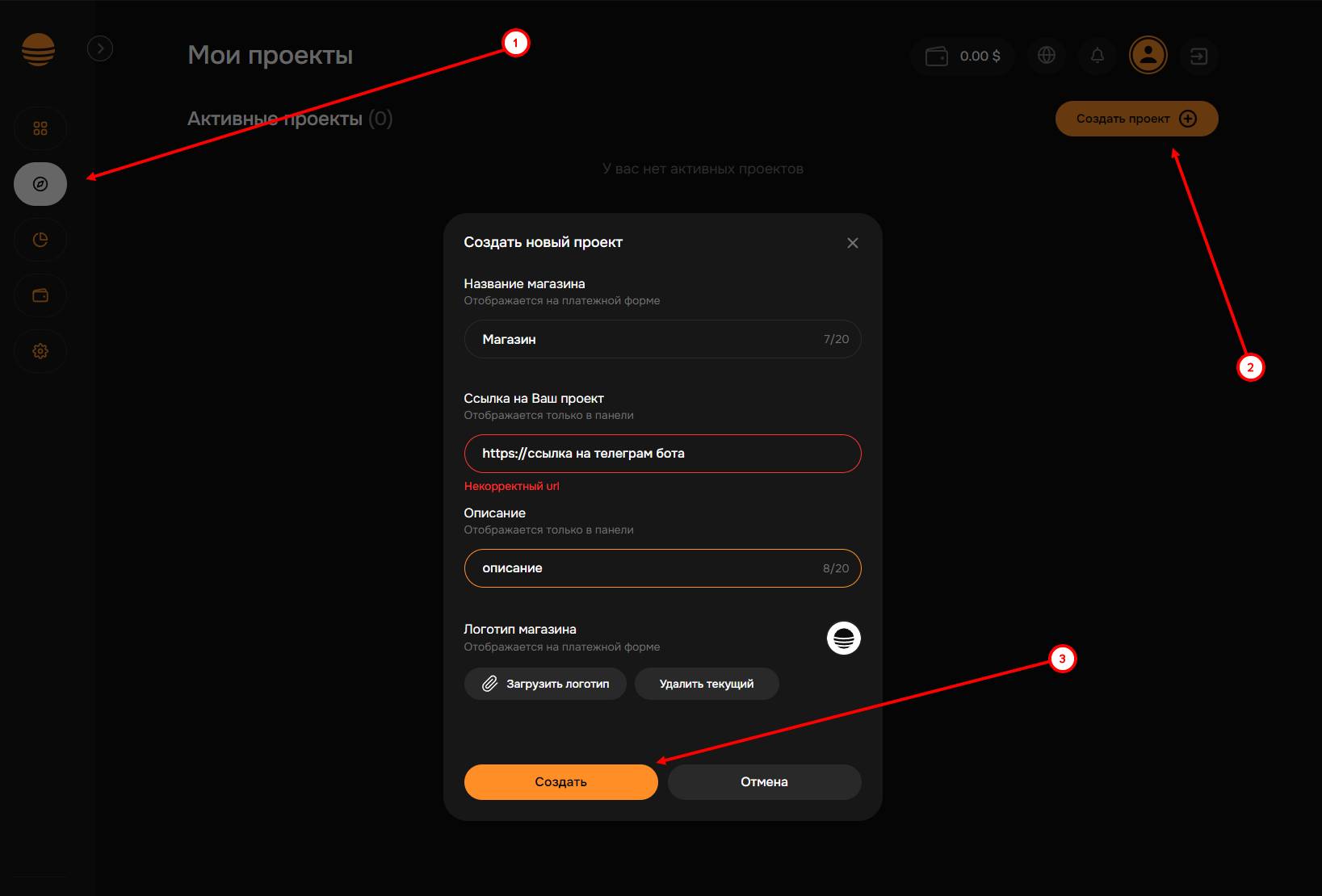 The next step is creating a store, go to the "My Projects" tab and create a store, come up with a name for it, enter a link, and click the "Create" button. Then we wait for moderation.
 Where can I find the CRUG.IO merchant ID?
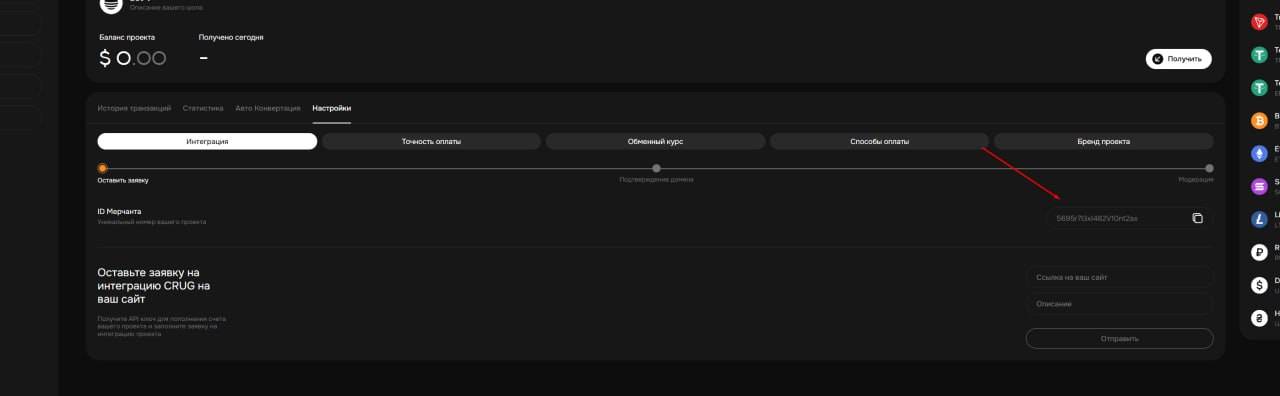 On the website crug.io, go to the "Integration" tab and copy the ID of your cash register
 How do I issue a cash register API key?
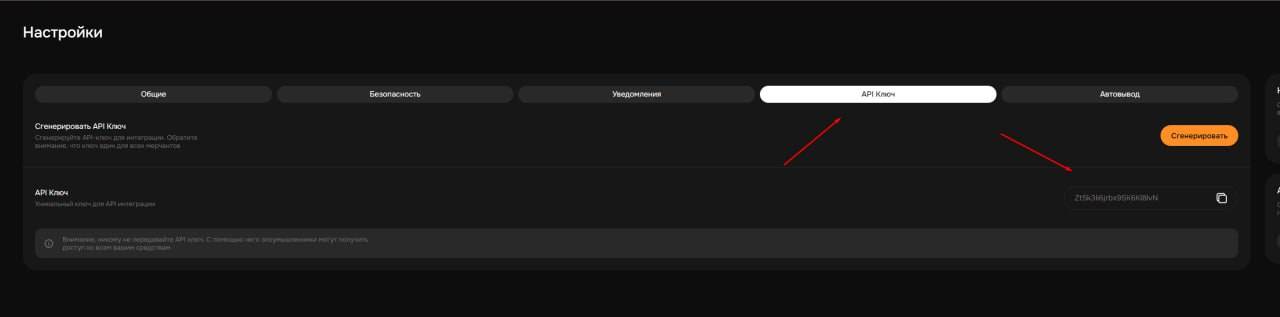 To generate the cash register API key, you need to go to the settings in the corresponding section, click the "Generate" button, and copy the key; it will be needed for further configuration.
 Setting up CRUG.IO on the BOT-T website
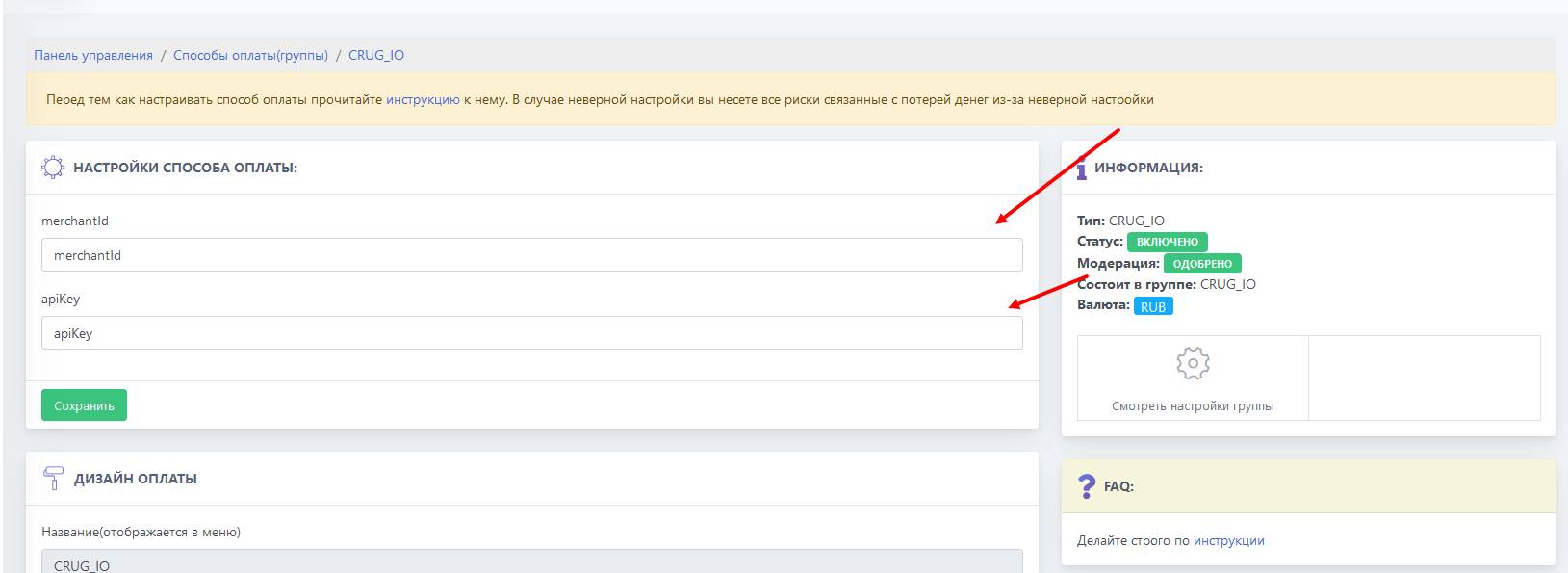 After successful moderation, copy the merchant ID and secret key, then paste them into the specified fields on the BOT-T website
Done! Setup complete!