

 The first step of setting up Betatransfer is registration and creating an account in the payment system on the website https://betatransfer.io
 Creating an account on the Betatransfer website
The first step of setting up Betatransfer is registration and creating an account in the payment system on the website https://betatransfer.io Issue of Betatransfer secret keys
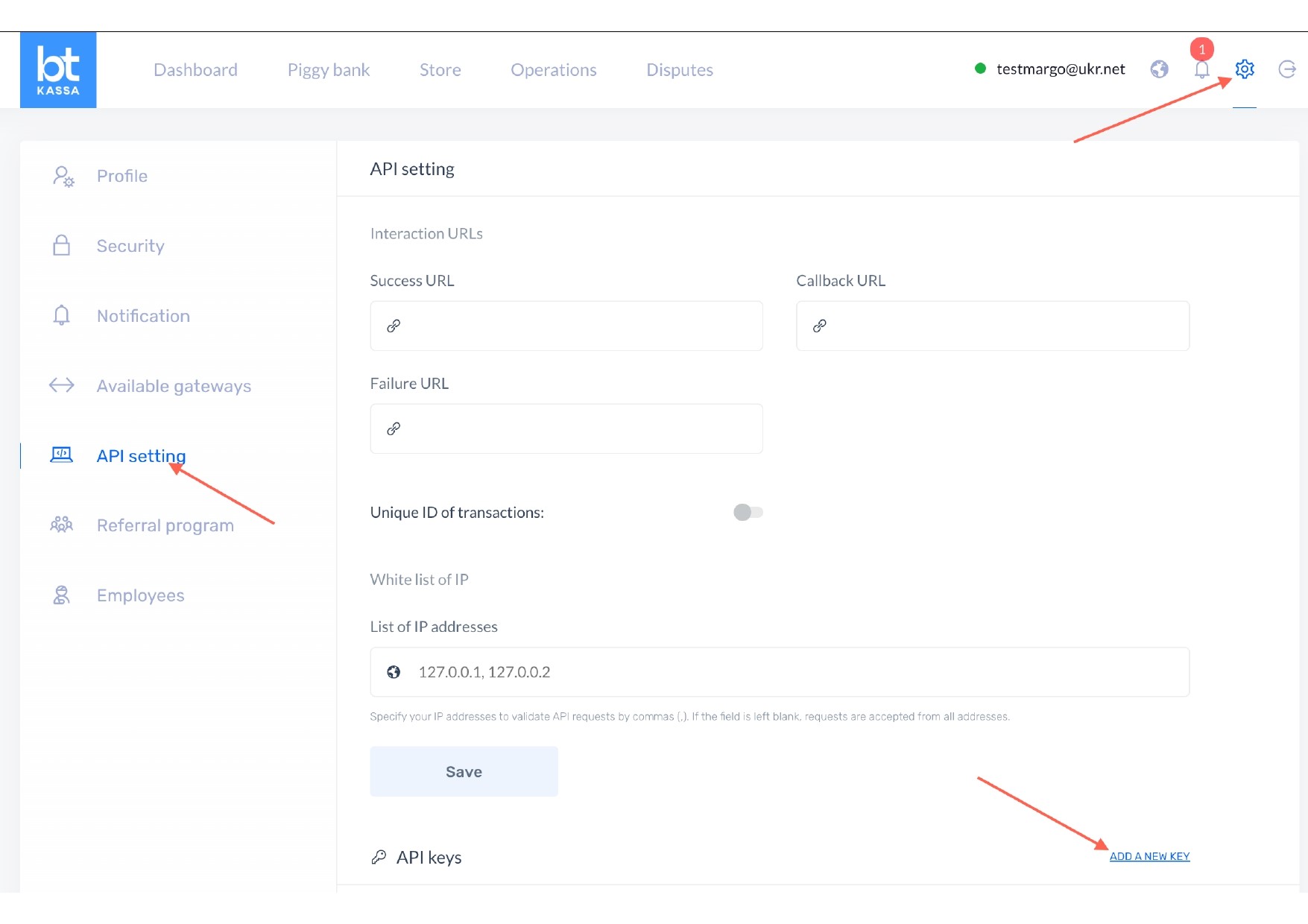 After successful registration, go to the payment system settings section, click the "Add key" button and обязательно включаем метод "Account", copy the keys and proceed to configure them on the BOT-T website
Important! Beta Transfer support will request an IP address to add to the white list, tell them that your bot was made in BOT-T!
An IP address is not needed!
Betatransfer payment setup on the BOT-T website
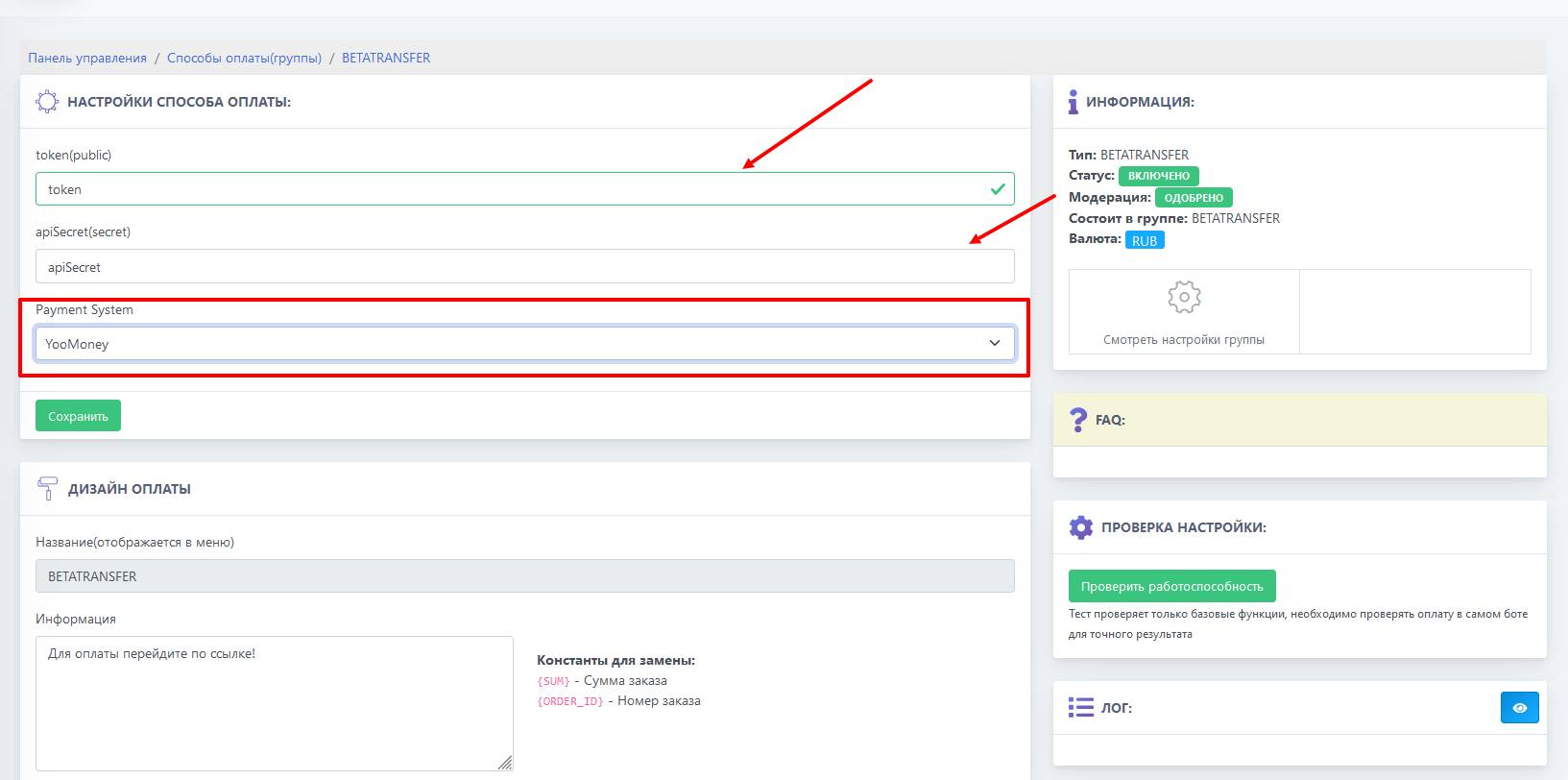 The final step of the setup is to paste the previously copied keys into the specified fields and select the required Payment System method (payment method). Several methods are available to choose from:
🪙 Binance Pay/Crypto
🇮🇳 India (INR). UPI/QR AUTO
🇧🇷 Brazil (BR). PIX
🇦🇷 Argentina (AR). Mercado Pago
🌐 CIS. P2P
🇰🇿 Kazakhstan (KZ). P2P, E-com - FTD/Trusted
🇦🇿 Azerbaijan (AZ). P2P, E-com - FTD
🇹🇯 Tajikistan (TJ). P2P
🇺🇿 Uzbekistan (UZ). E-com
🇰🇬 Kyrgyzstan (KG). P2P
Done! Setup is complete!
Payment system errors
 The 401 and 403 errors shown in the screenshot mean:
1) The payment token specified in the settings is incorrect
2) Your account on the merchant’s website has been blocked, or in other words, your sole proprietor account on their website and payment token have been blocked
3) The third and most important reason is that the client in the Betatransfer personal account has not activated the API key
Filling in whitelist IP addresses
IMPORTANT:
Do not fill in the list of white IP addresses (WhiteList); leave the field empty!
Do not fill in the list of white IP addresses (WhiteList); leave the field empty!