

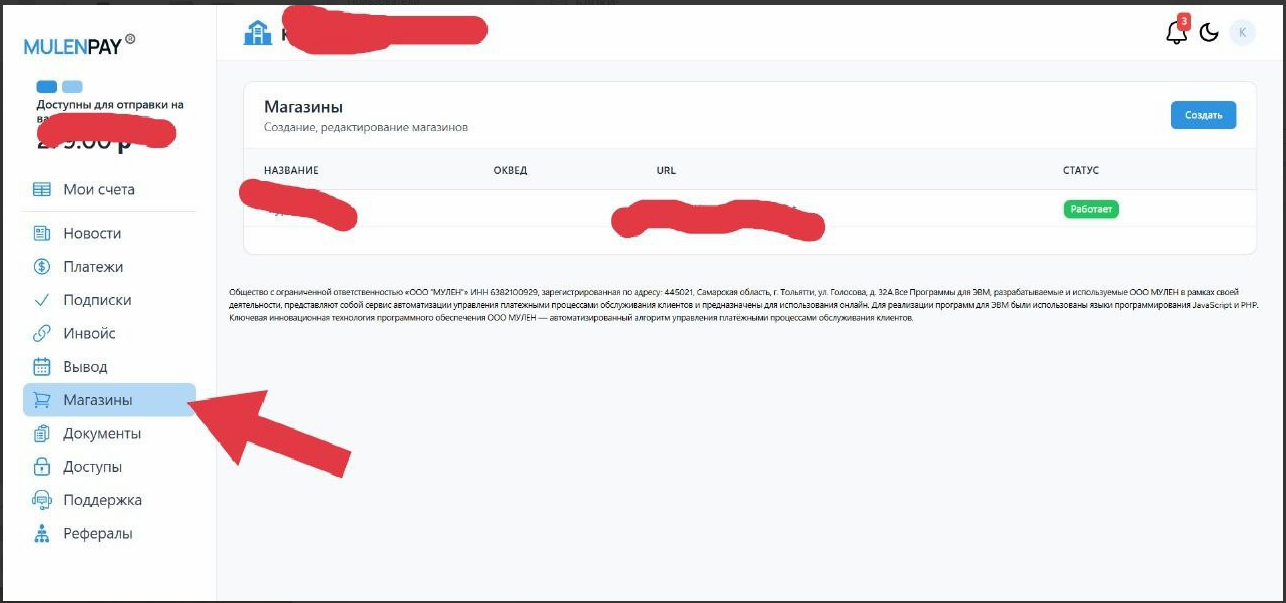
 To create a payment method via MulenPay, you need to have the status of an individual entrepreneur. After a simple registration, you will need to create your store in the Stores tab, then upload the necessary documents (upon request) and information about yourself, and launch your store.
 Creating a store in the merchant
To create a payment method via MulenPay, you need to have the status of an individual entrepreneur. After a simple registration, you will need to create your store in the Stores tab, then upload the necessary documents (upon request) and information about yourself, and launch your store. Completing store setup
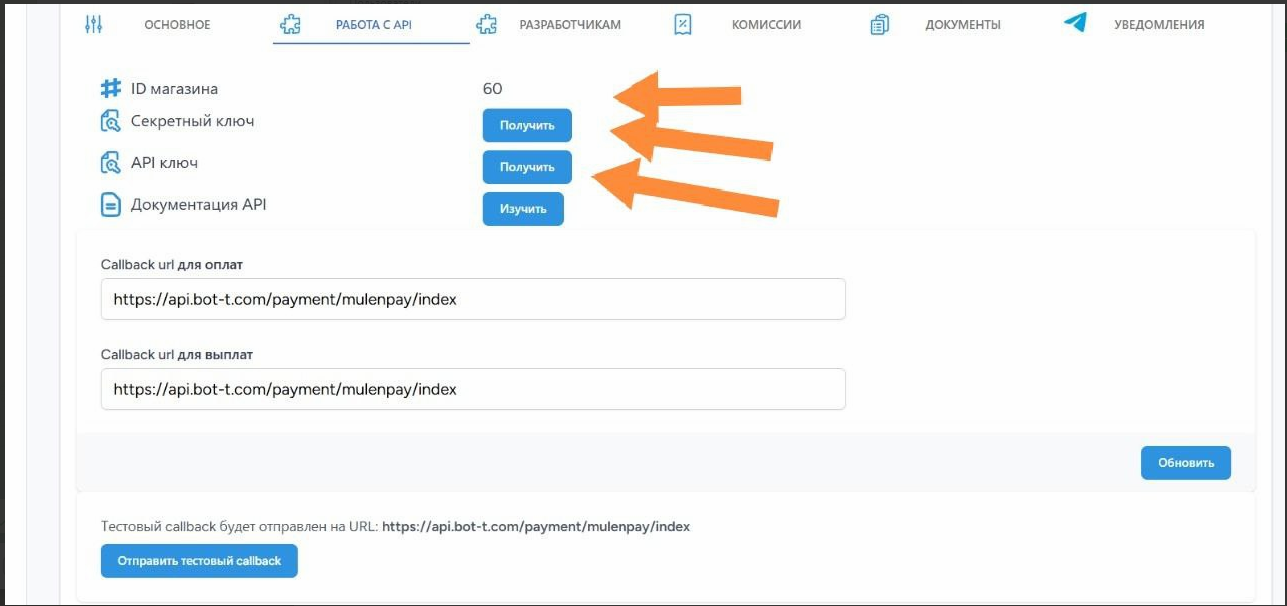 As soon as we finished creating the store in MulenPay. We need to release the information from the store in order to link the store MulenPay and the BOT-T bot builder. For this, we need to:
1. Release the secret key
2. Release the API key
3. Copy the store ID
Next, add the information to the BOT-T platform in the payment method.
The last and important detail is to fill in the payment URL, just copy and paste it as shown in the screenshot:
for copying:
https://api.bot-t.com/payment/mulenpay/indexDone, setup is complete!