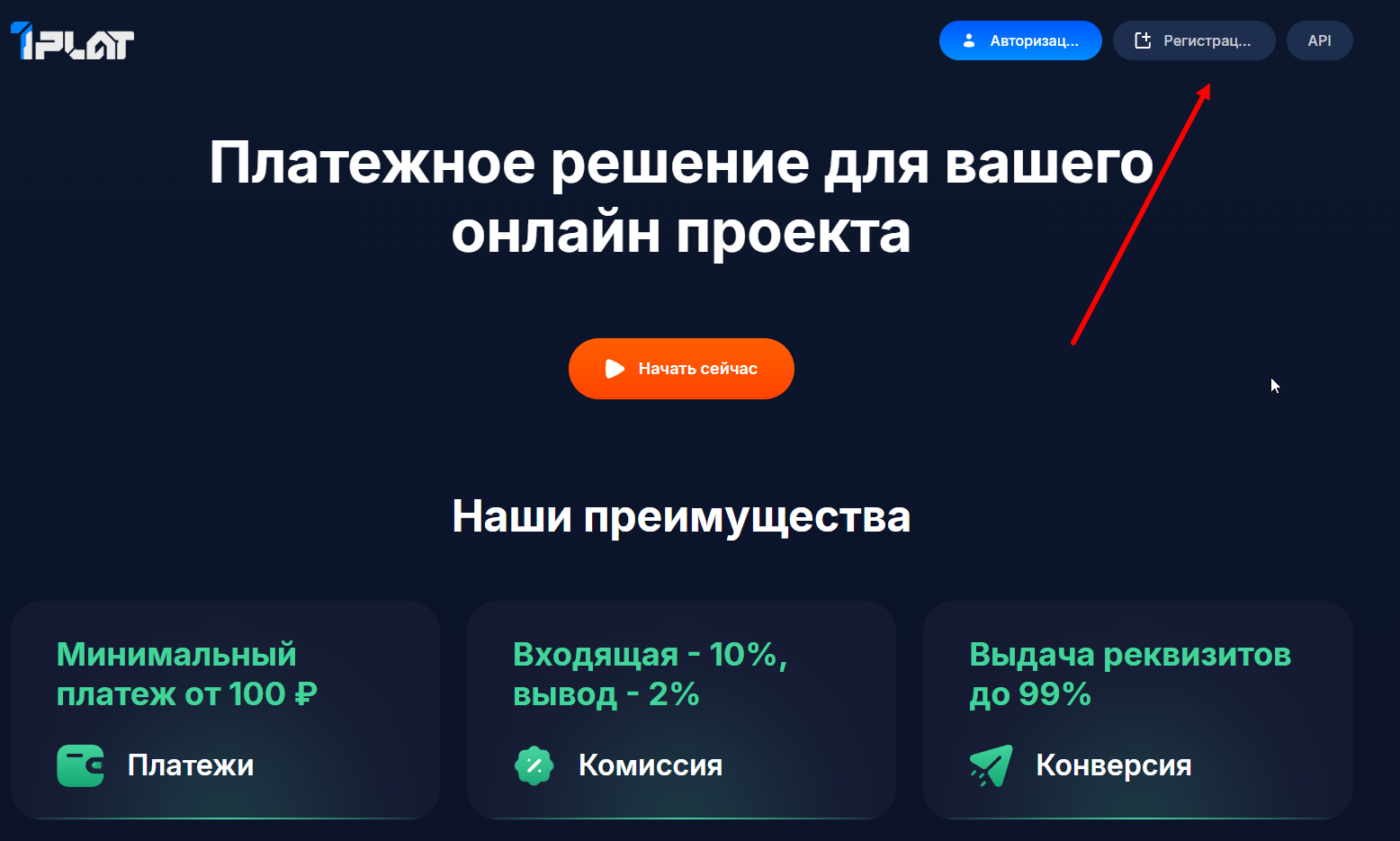
 Initial setup stage of the PLAT payment system - registration on the website https://1plat.cash
Balance withdrawal is available via SBP, USDT, and bank details

Help Center BOT-T
Find answers, learn how to use the service, and get help from our team.
For example: payment, plans, Telegram bot, reviews...

Search results
Initial setup stage of the PLAT payment system - registration on the website https://1plat.cash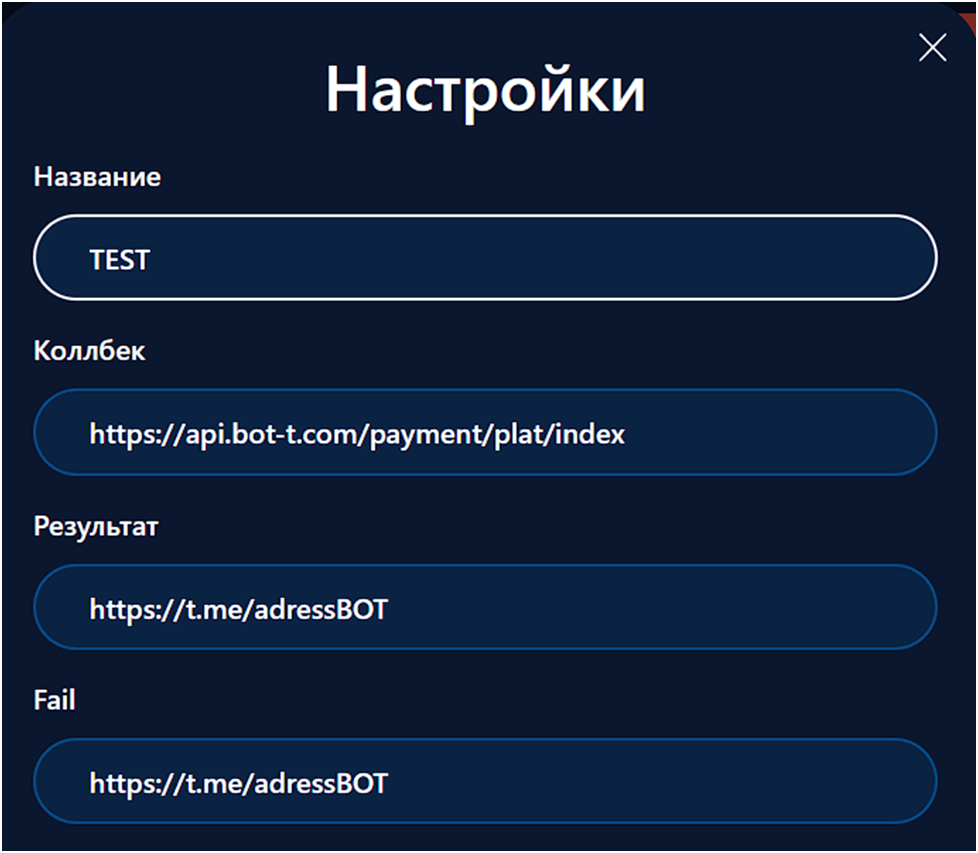 After you register, go to the "Add store" button and fill in all the details:
 https://api.bot-t.com/payment/plat/index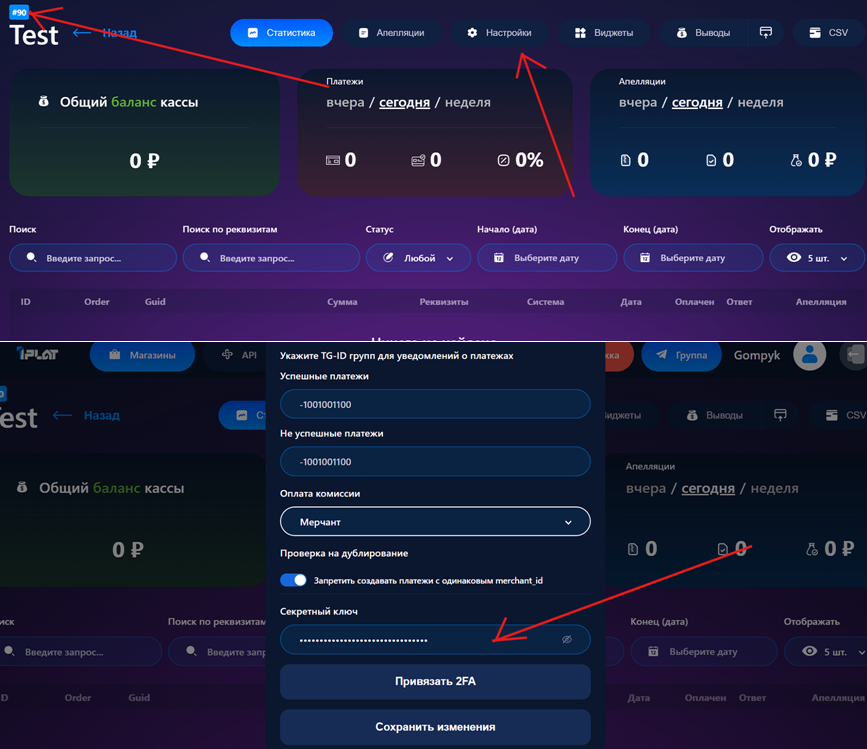 We go to the settings of the activated cash register and copy the store number together with the secret key - we will need them soon
 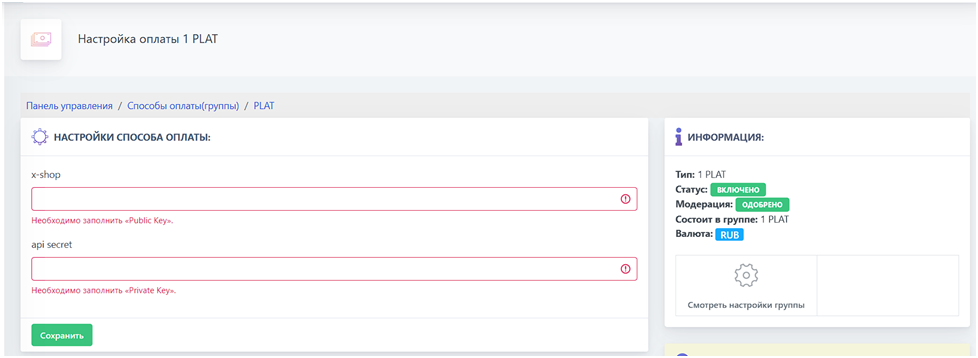 Final step of setting up the PLAT payment system - enter the previously copied store number and key on the BOT-T website