 ByBit is a cryptocurrency exchange that supports a payment solution on its platform.
To begin the setup, if you are not yet registered in BB, go to the site and create a new account.

Help Center BOT-T
Find answers, learn how to use the service, and get help from our team.
For example: payment, plans, Telegram bot, reviews...

Search results
ByBit is a cryptocurrency exchange that supports a payment solution on its platform.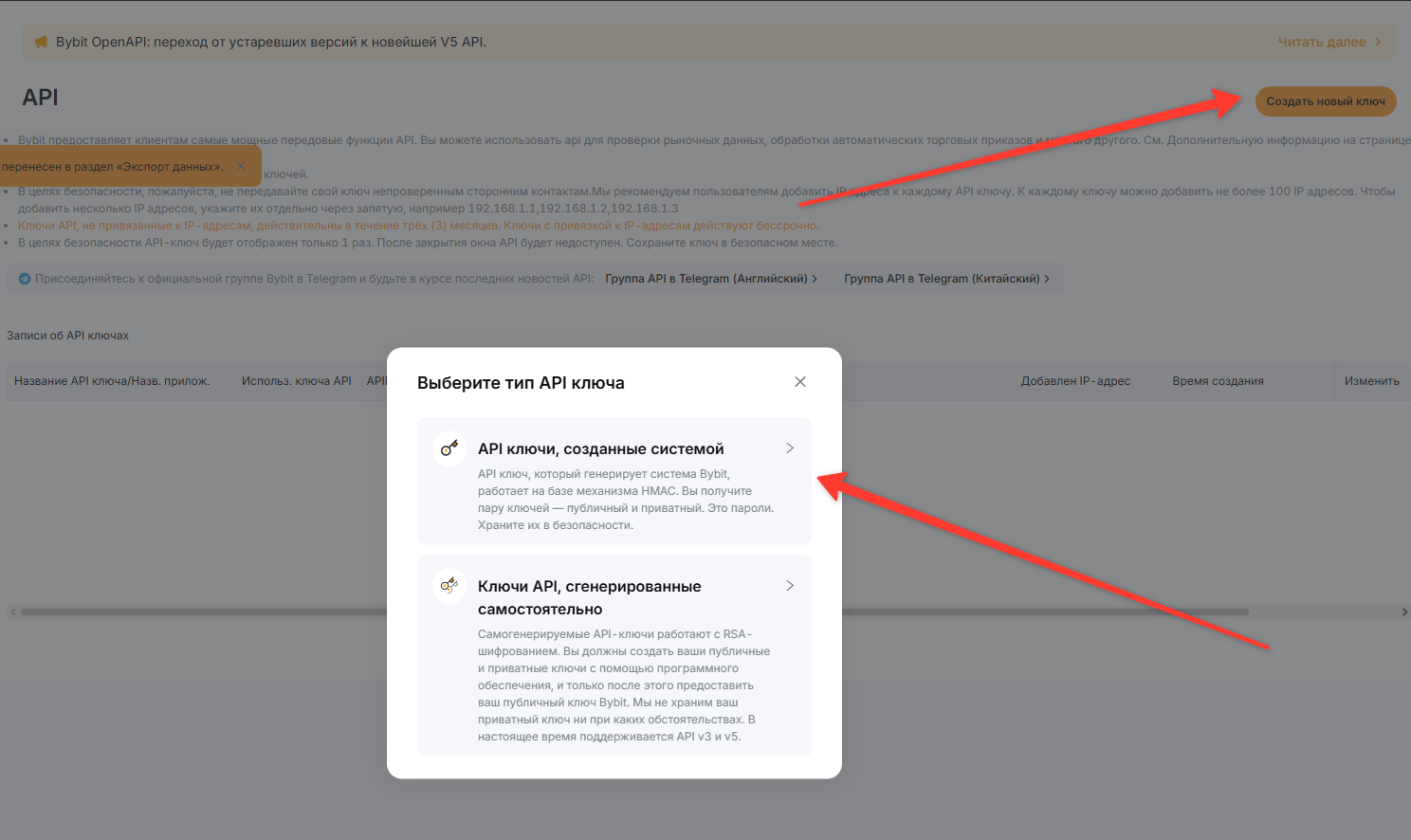 In your account profile, select the "API" section and click the "Create new key" button, then choose the key type "API keys created by the system".
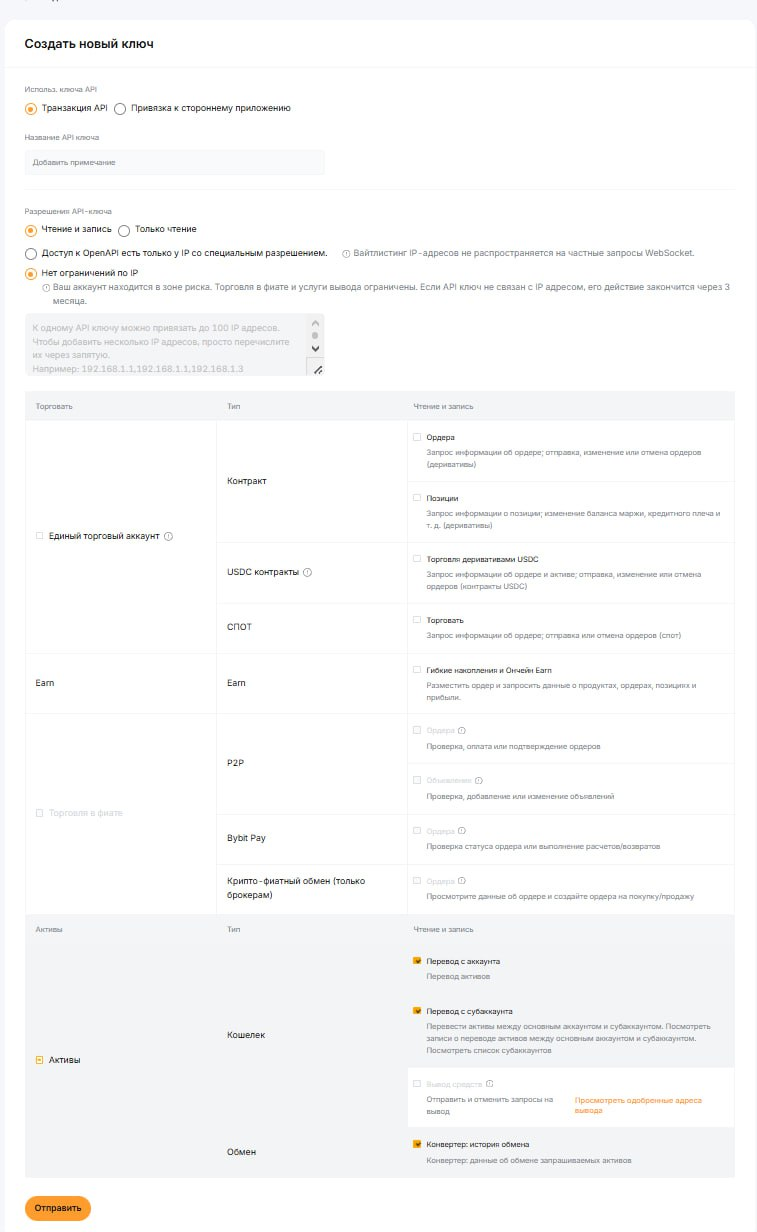 Important! Use the same settings as in the screenshot!
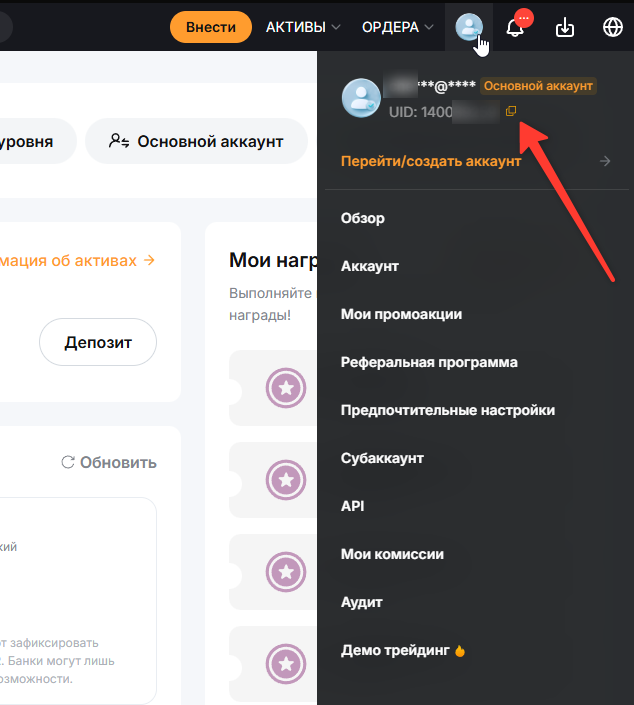 Also, to configure the integration, you will need the UID; you can find it in your profile settings — copy it.
 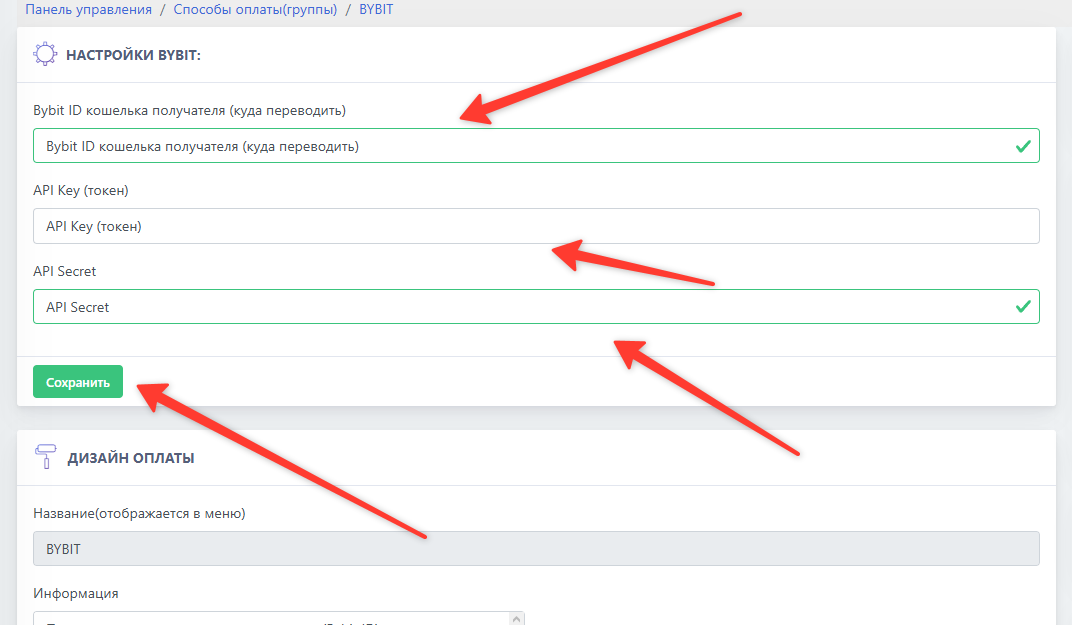 After successfully configuring the payment system and issuing the necessary keys, go to the BOT-T website and fill in the empty fields with the previously copied data.