

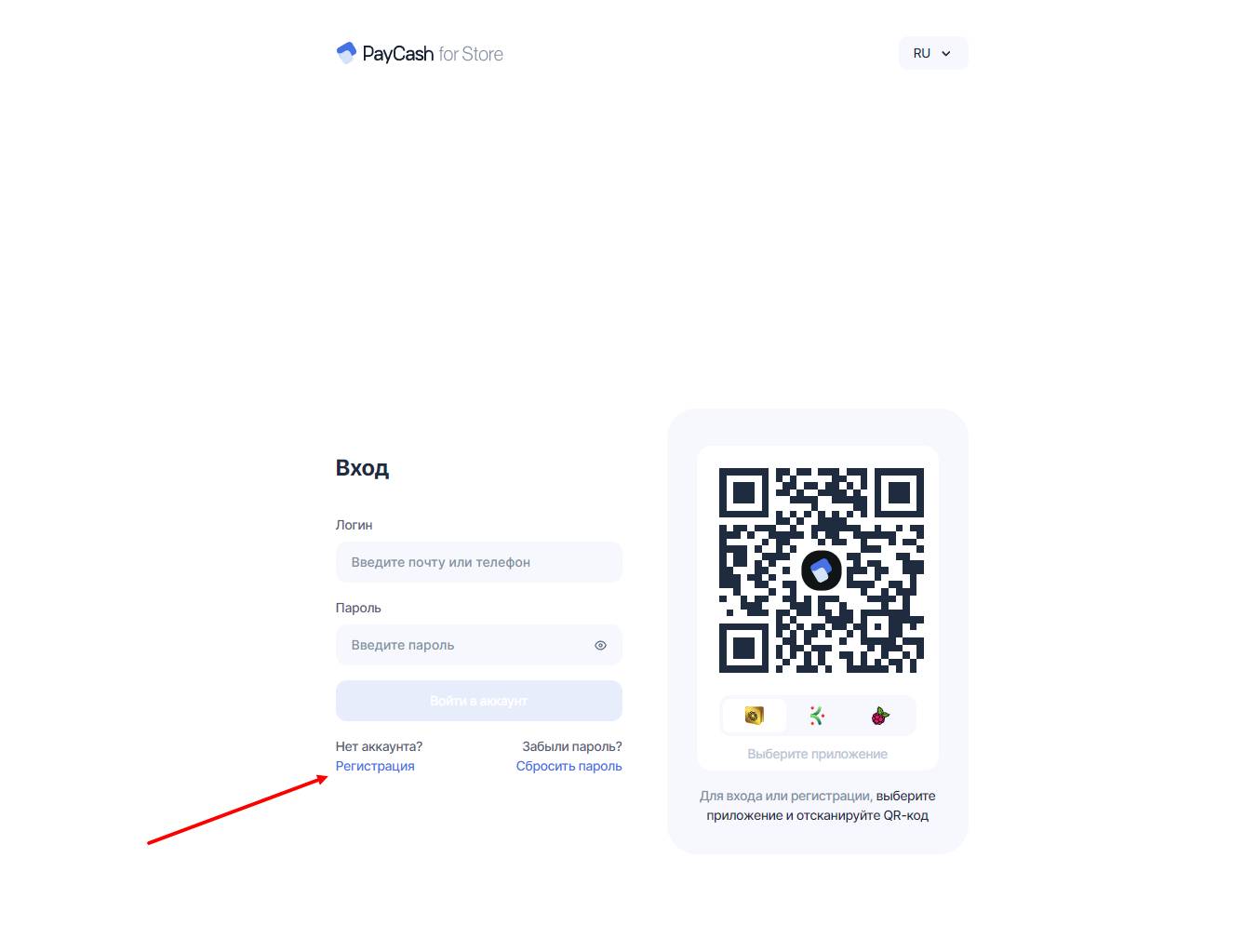
 Before starting to configure the cash register, you need to register on the website https://pc4.store
 Registration on the Pay Cash website
Before starting to configure the cash register, you need to register on the website https://pc4.store Creating a store and issuing an API key
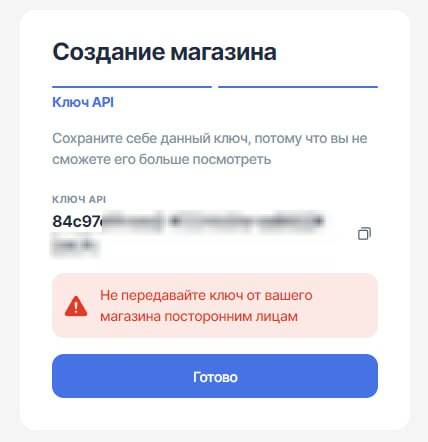 After successful registration - we create a store, enter its name and copy the API key, we will need it soon
 Where can I find the SHOP ID of the PC4Store cash register??
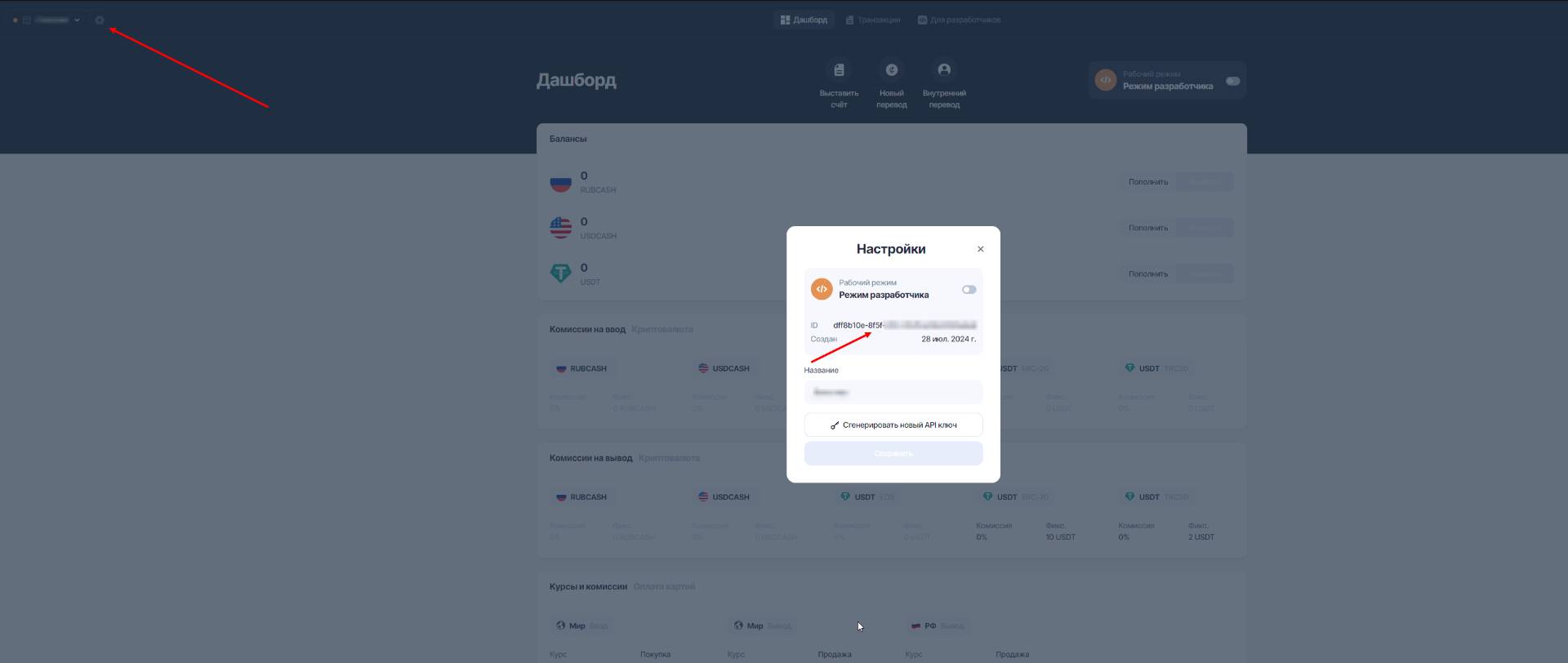 SHOP ID is the second important key for configuring the cash register, in the "Shops" section on the website https://pc4.store we go to the settings of the previously created store and copy its ID
 PayCash setup on the BOT-T website
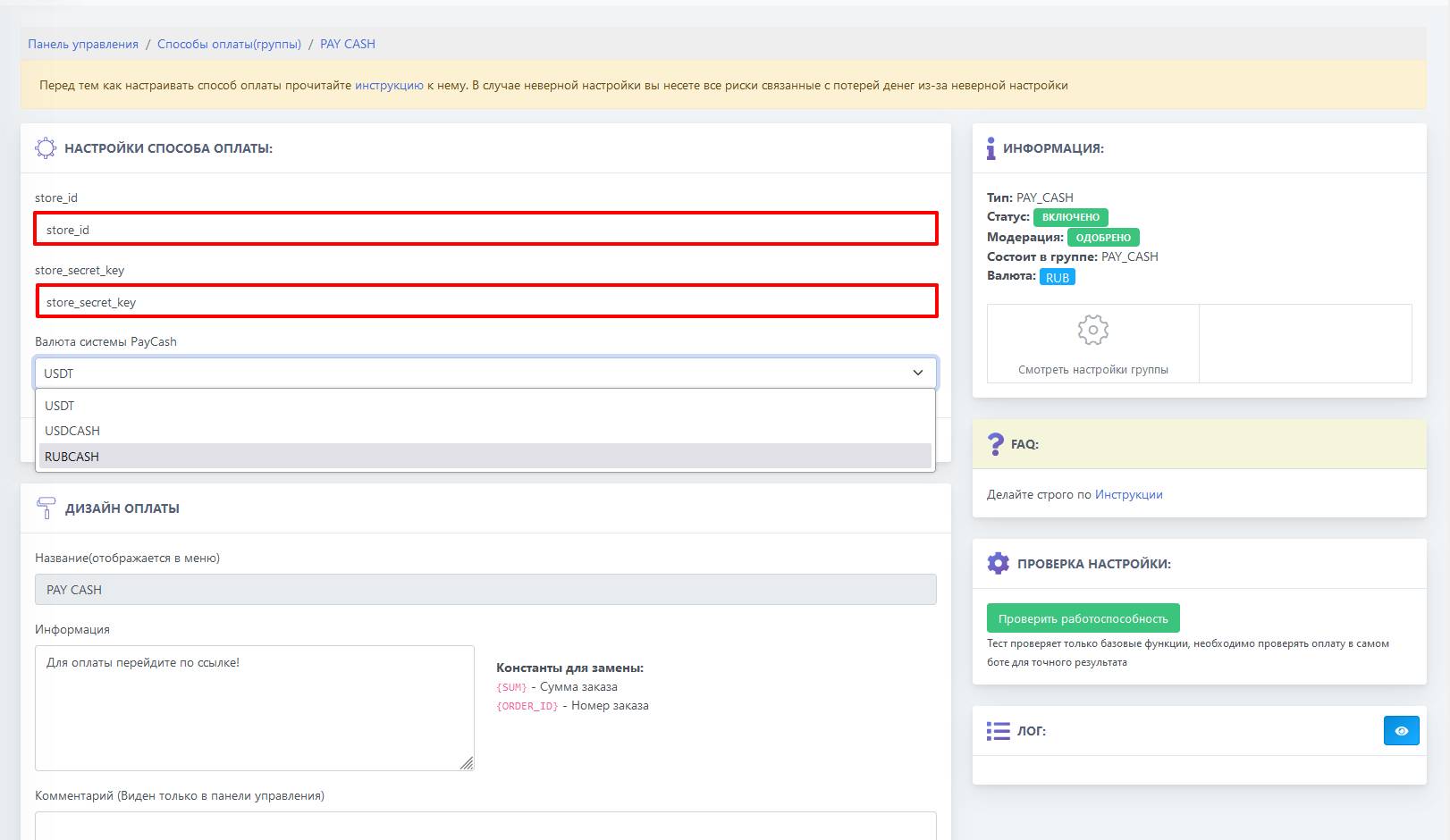 In the specified fields, you need to paste the previously copied API key and shop ID, and select the PayCash system currencies
Done! Setup is complete!