![[PAYMENT METHOD] WEB MONEY](https://storage.bot-t.com/bot/15195/photos/230925_screenshot84png.png "[PAYMENT METHOD] WEB MONEY") To access WebMoney, you need to download their app here (for new clients)
To access WebMoney, you need to download their app here (for new clients)IMPORTANT, make sure you have turned off the cash register test mode!
In test mode, payment will not be accepted for security reasons!
Fill in your merchant details.

Help Center BOT-T
Find answers, learn how to use the service, and get help from our team.
For example: payment, plans, Telegram bot, reviews...

Search results
To access WebMoney, you need to download their app here (for new clients)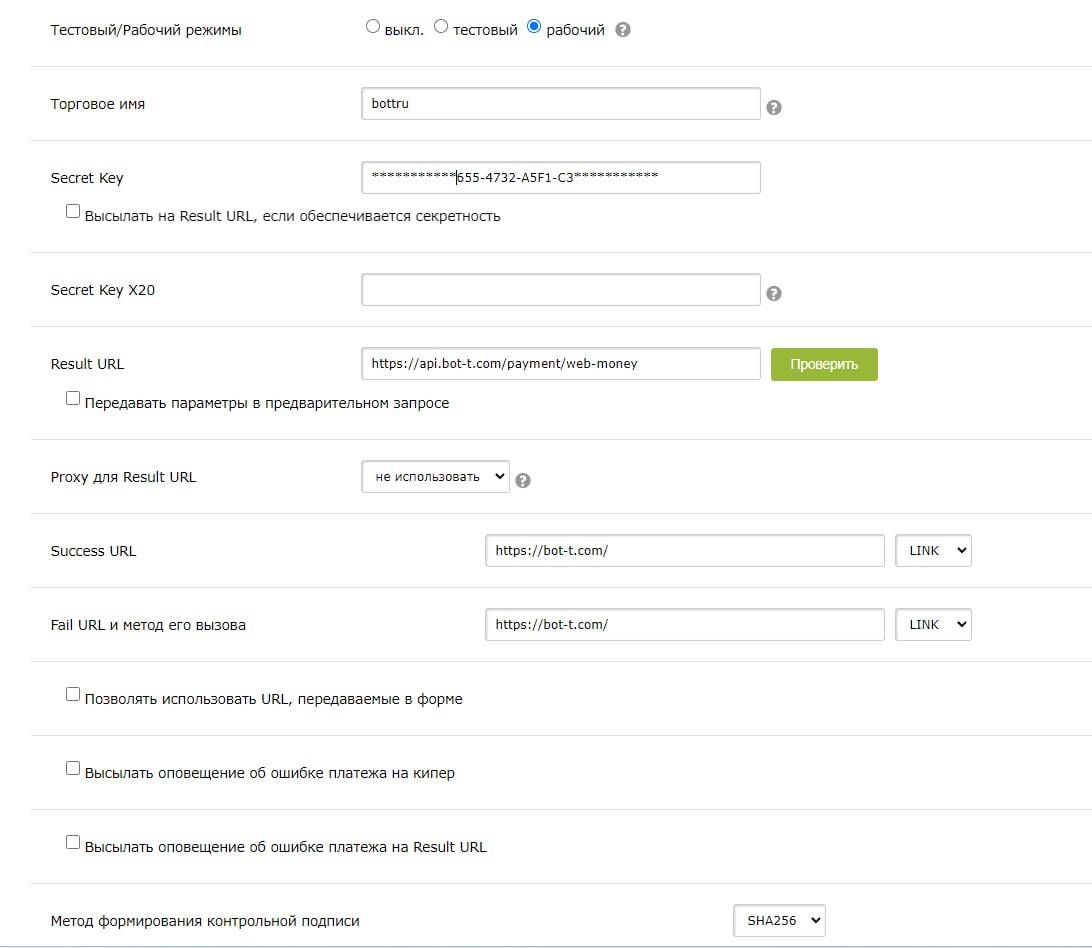 The data can be obtained by going to the link. Obtain the secret key
https://api.bot-t.com/payment/web-moneyhttps://bot-t.com/ 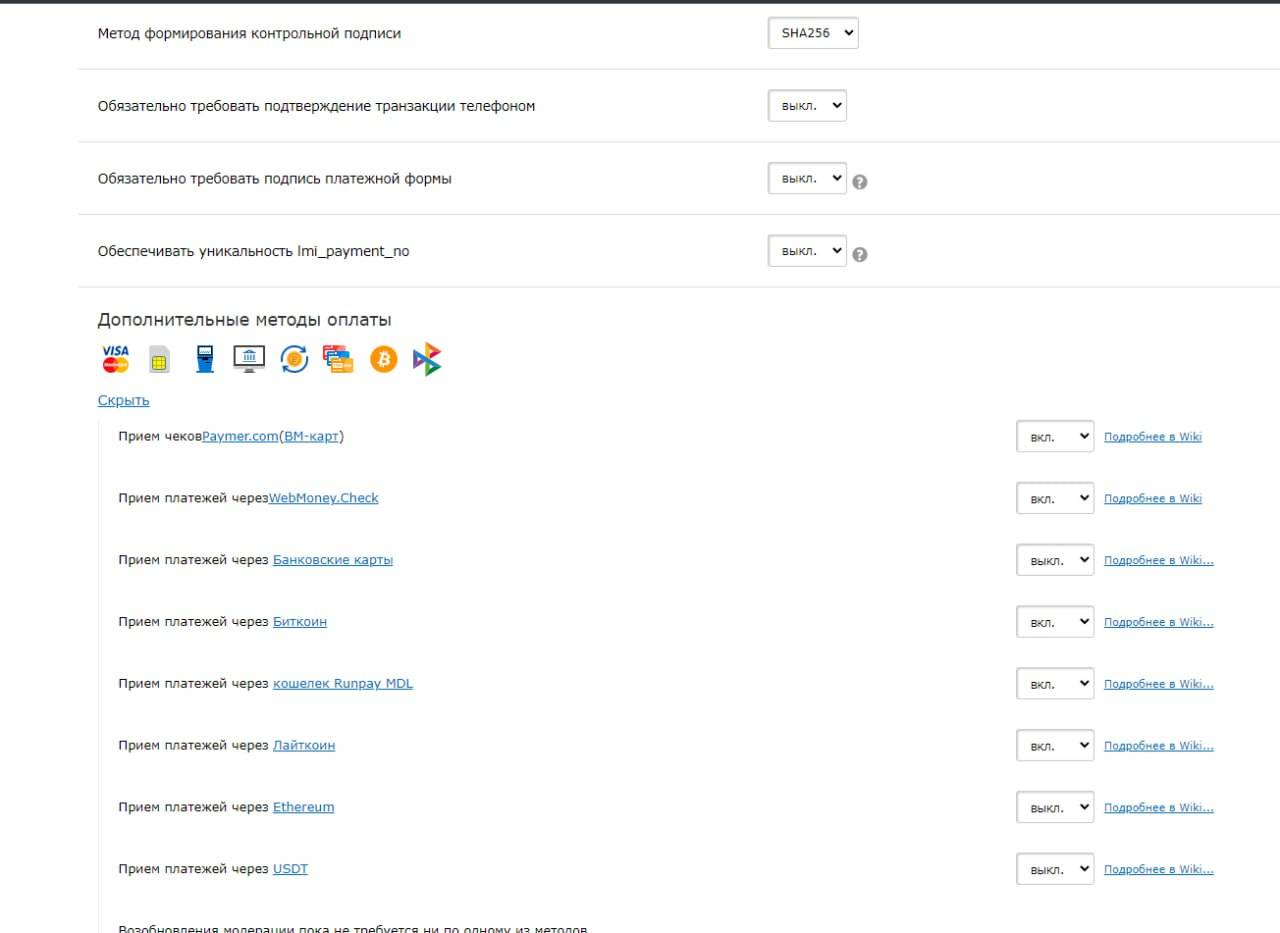
https://merchant.webmoney.ru/conf/purses.asp Also set the signature generation method to SHA256 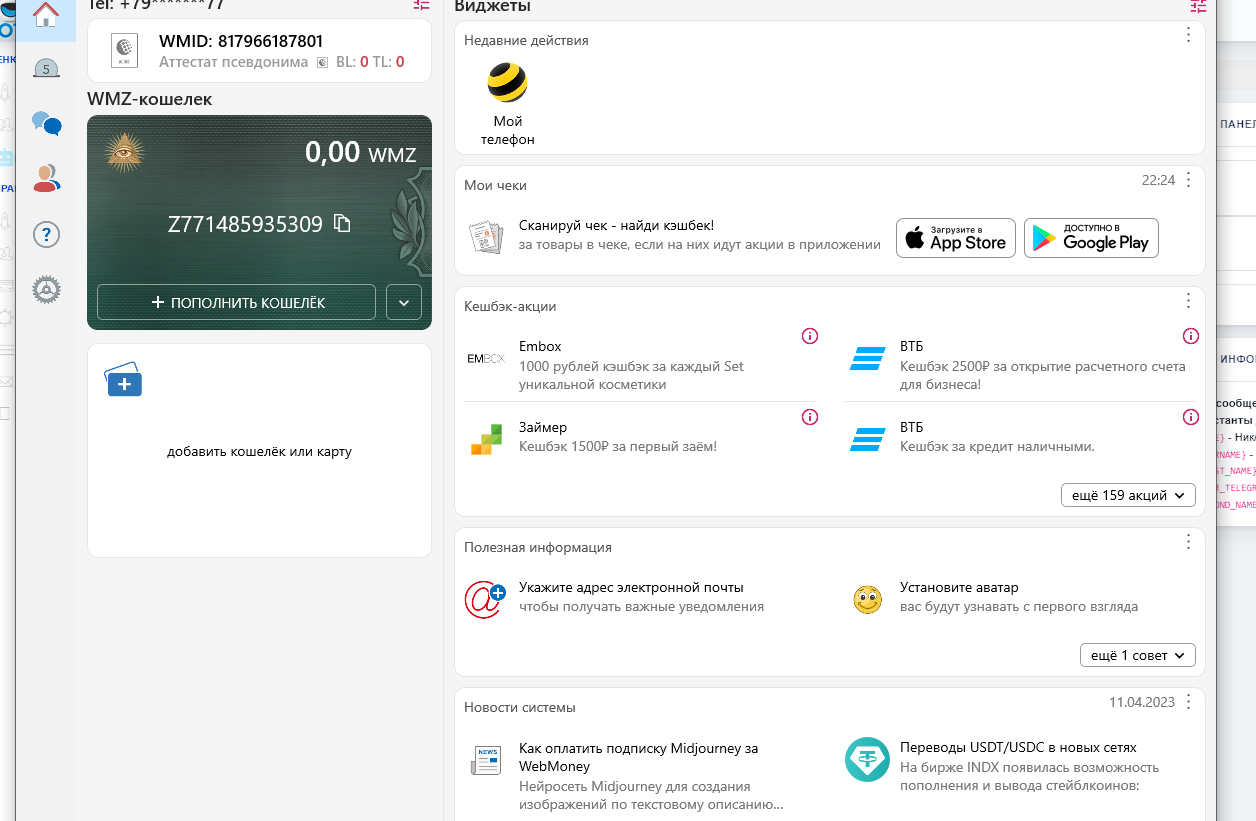 You can make a payment via a link in various ways.