

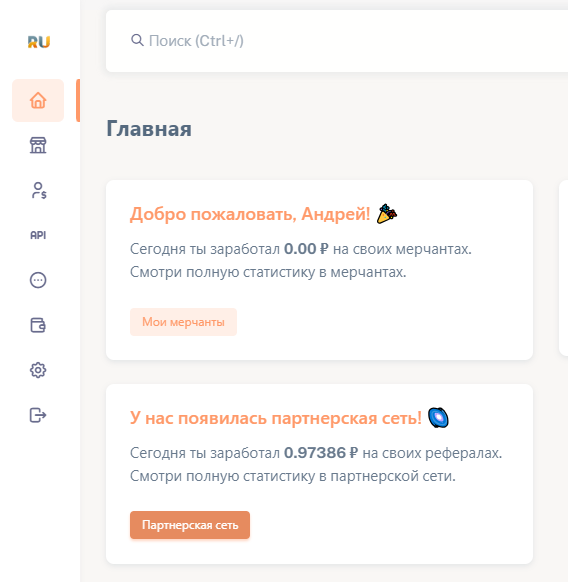
 To start using RUKASSA, you need to register on their website https://rukassa.pro and create your first cash register (see screenshot). Verification is required to use RUKASSA
 Registration in RUKASSE
To start using RUKASSA, you need to register on their website https://rukassa.pro and create your first cash register (see screenshot). Verification is required to use RUKASSA Adding and configuring a merchant after verification
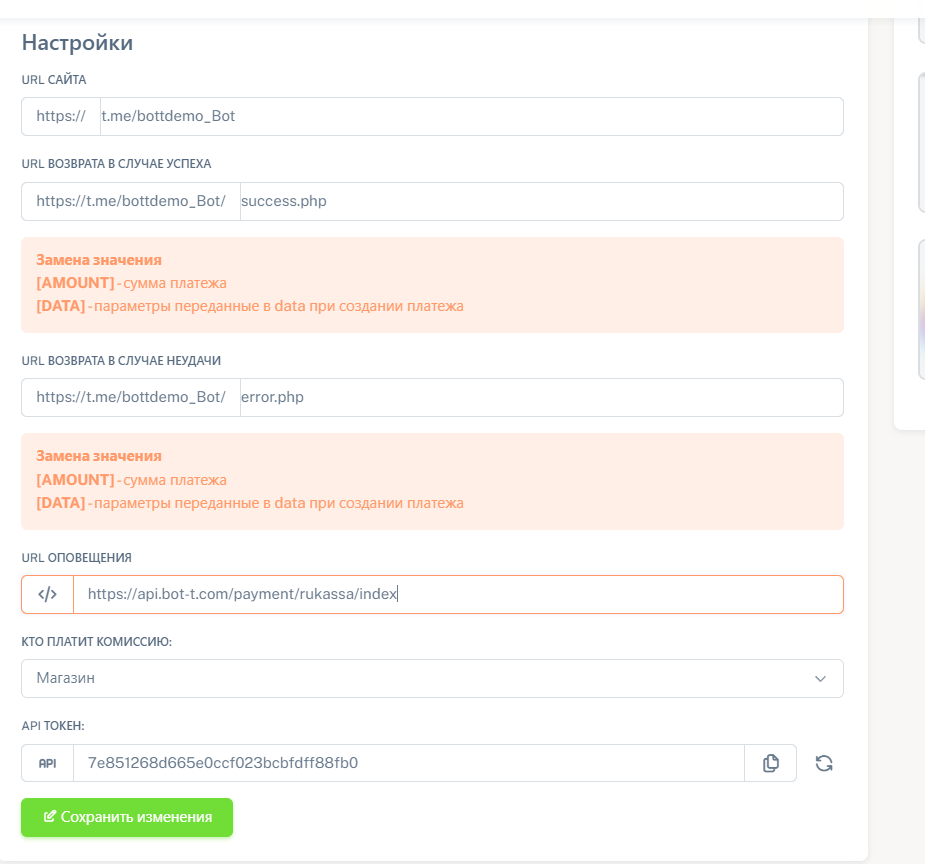 1. Payment methods that can be connected
2. Ideal setup (copy)
3. Your API token that needs to be inserted into the bot -t
insertion text
WEBSITE URL
your bot link
RETURN URL IN CASE OF SUCCESS
success.php
RETURN URL IN CASE OF FAILURE
error.php
NOTIFICATION URL
https://api.bot-t.com/payment/rukassa/index
You can make the project on your domain name (for those who have a website)
Finding the store ID and completing the setup
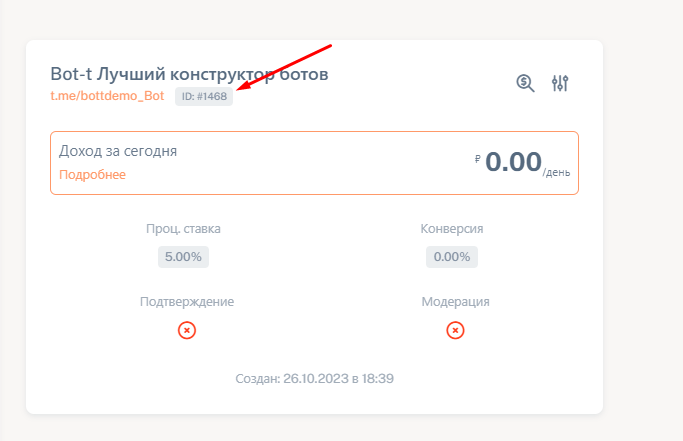 Our ID is here (see screenshot). We copy and paste it into the bot t website. Congratulations, you have completed the setup.
Attention: the minimum top-up amount for Rukassa is 100 rubles!