 To start using the cash register from STRIPE, you need to:
Register on the website https://stripe.com

Help Center BOT-T
Find answers, learn how to use the service, and get help from our team.
For example: payment, plans, Telegram bot, reviews...

Search results
To start using the cash register from STRIPE, you need to:![Illustration for FAQ: [STRIPE] - Setting up a payment method](https://storage.bot-t.com/bot/15195/photos/stripe1.jpg) We go to the website and switch to test mode. Copy the keys and paste them on the BOT-T website.
We go to the website and switch to test mode. Copy the keys and paste them on the BOT-T website. 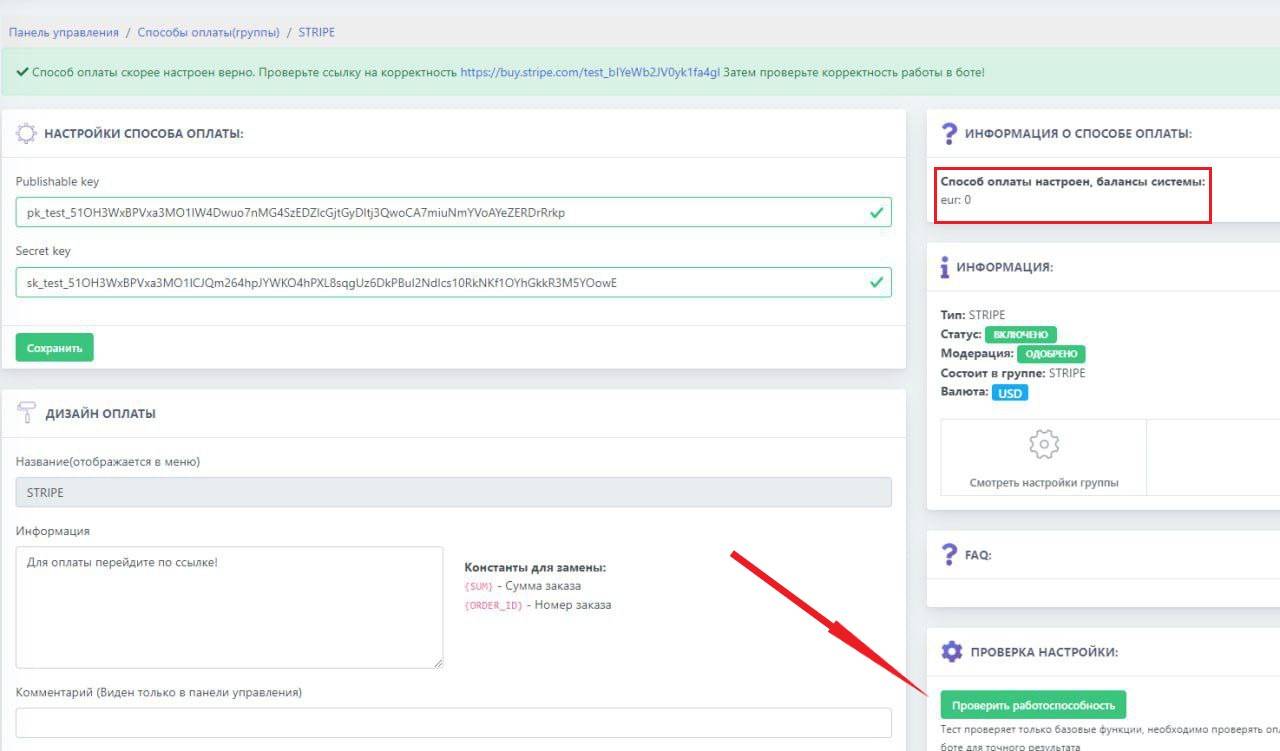 The balance must обязательно be displayed, and WE MUST click "check functionality". After the check, we proceed to the test by clicking the test link at the top in the green field
 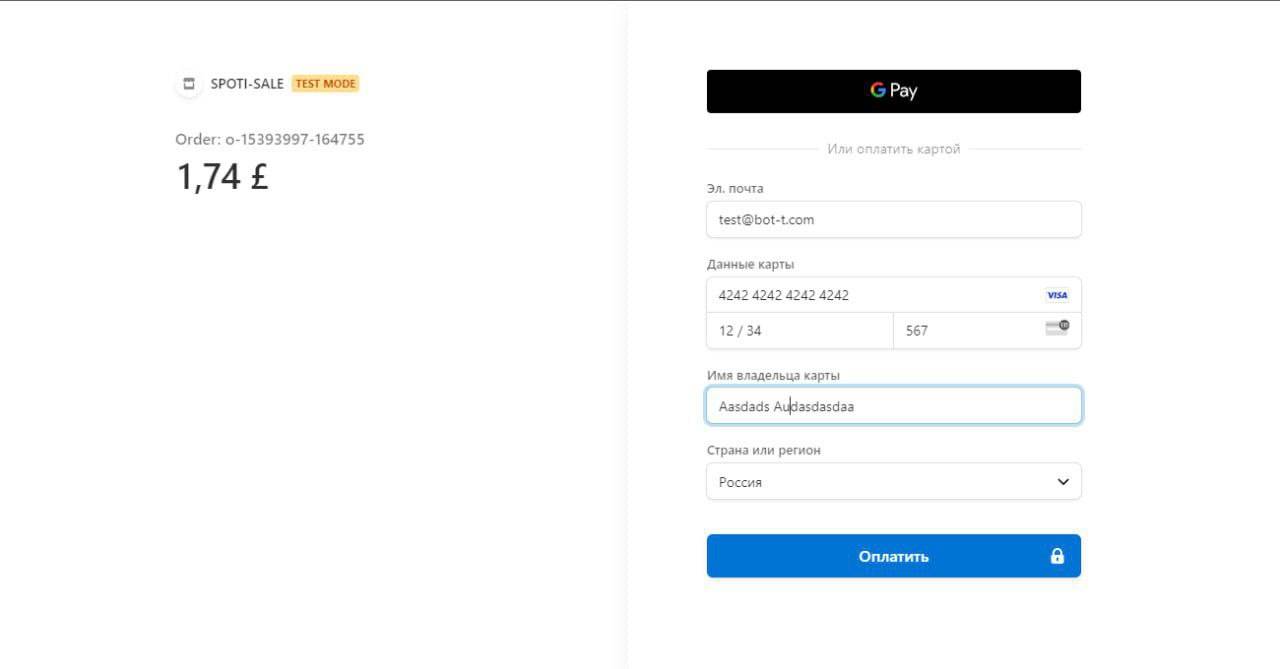 We are testing payment in the bot; when paying, enter the data as shown in the screenshot