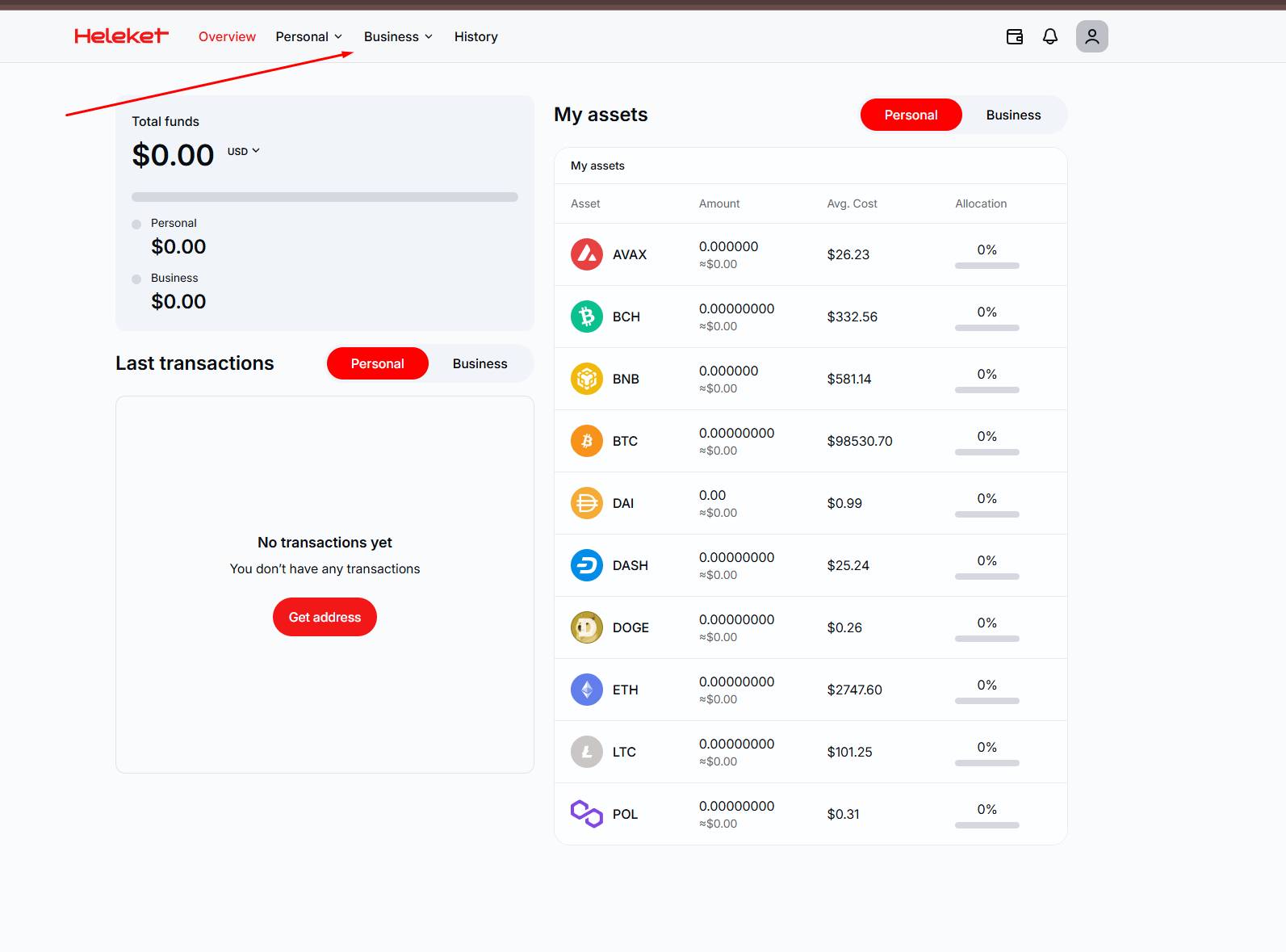
 Before starting to use and configure the Heleket payment system, you need to register on their website at the following link
After registration, go to the "Business" tab

Help Center BOT-T
Find answers, learn how to use the service, and get help from our team.
For example: payment, plans, Telegram bot, reviews...

Search results
Before starting to use and configure the Heleket payment system, you need to register on their website at the following link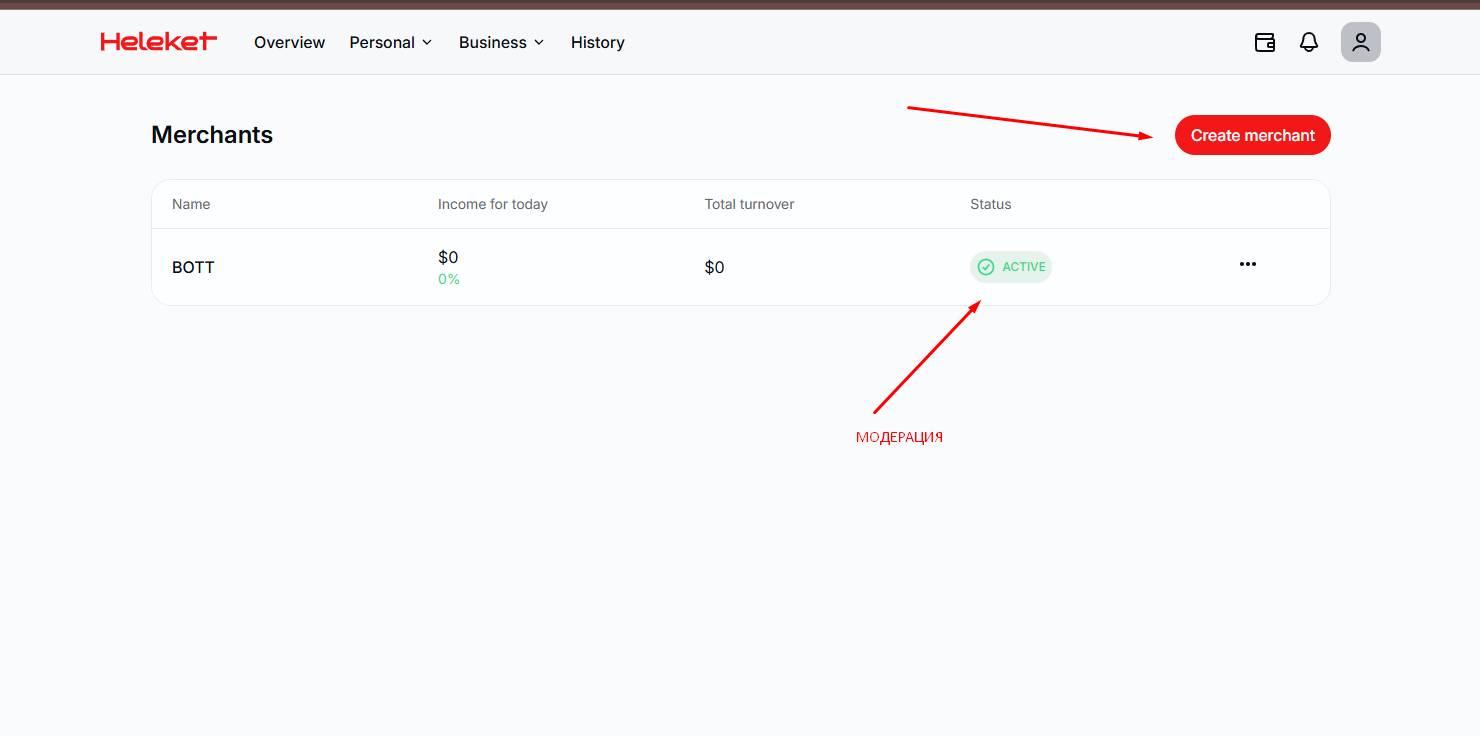 After you have gone to the "Business" section, click the "Create merchant" button and follow the instructions on the Heleket website
 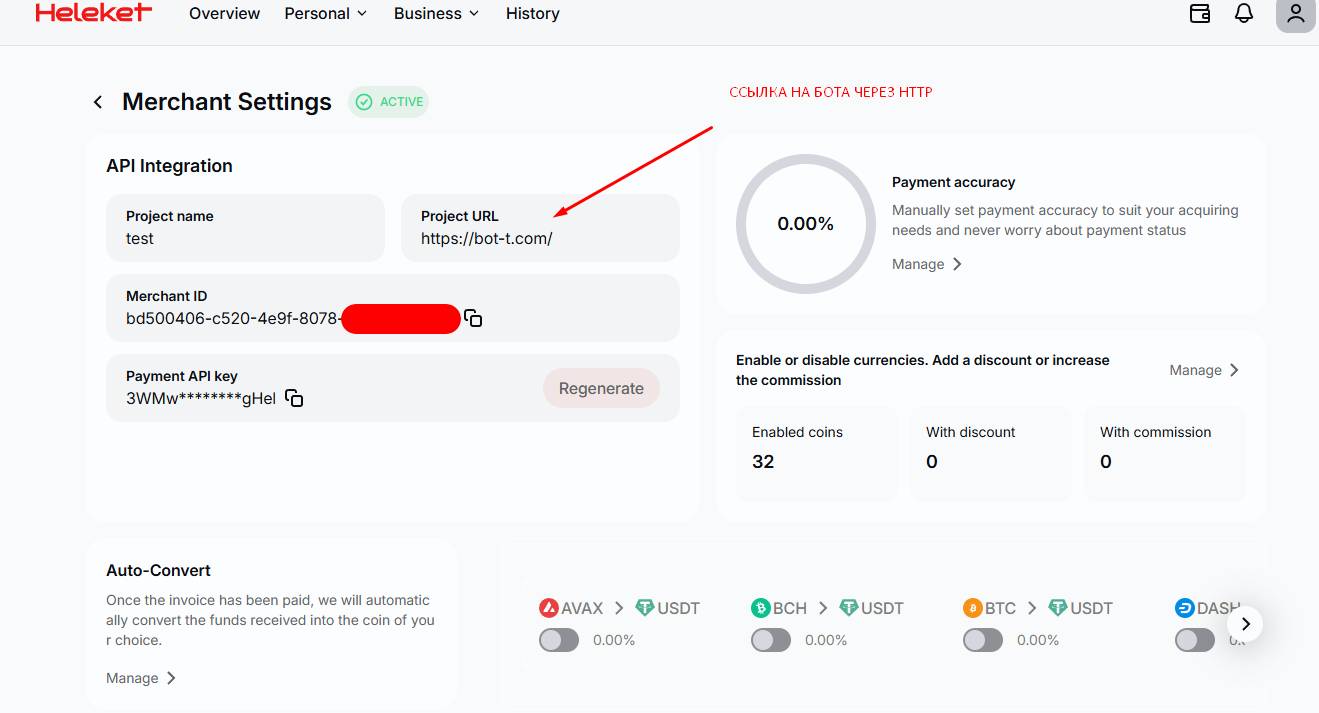 In the "Project URL" field, be sure to enter the full link to the bot, including the
 https protocol, for example:[email protected]