

 Conditions for using the payment method:
 You must have a created and approved cash register on the enot.io website
You will not be able to create it on our domain! Since you will not be able to confirm ownership of the website (See screenshot)
If you do not have a cash register and do not know how to get one, then this method is not suitable for you
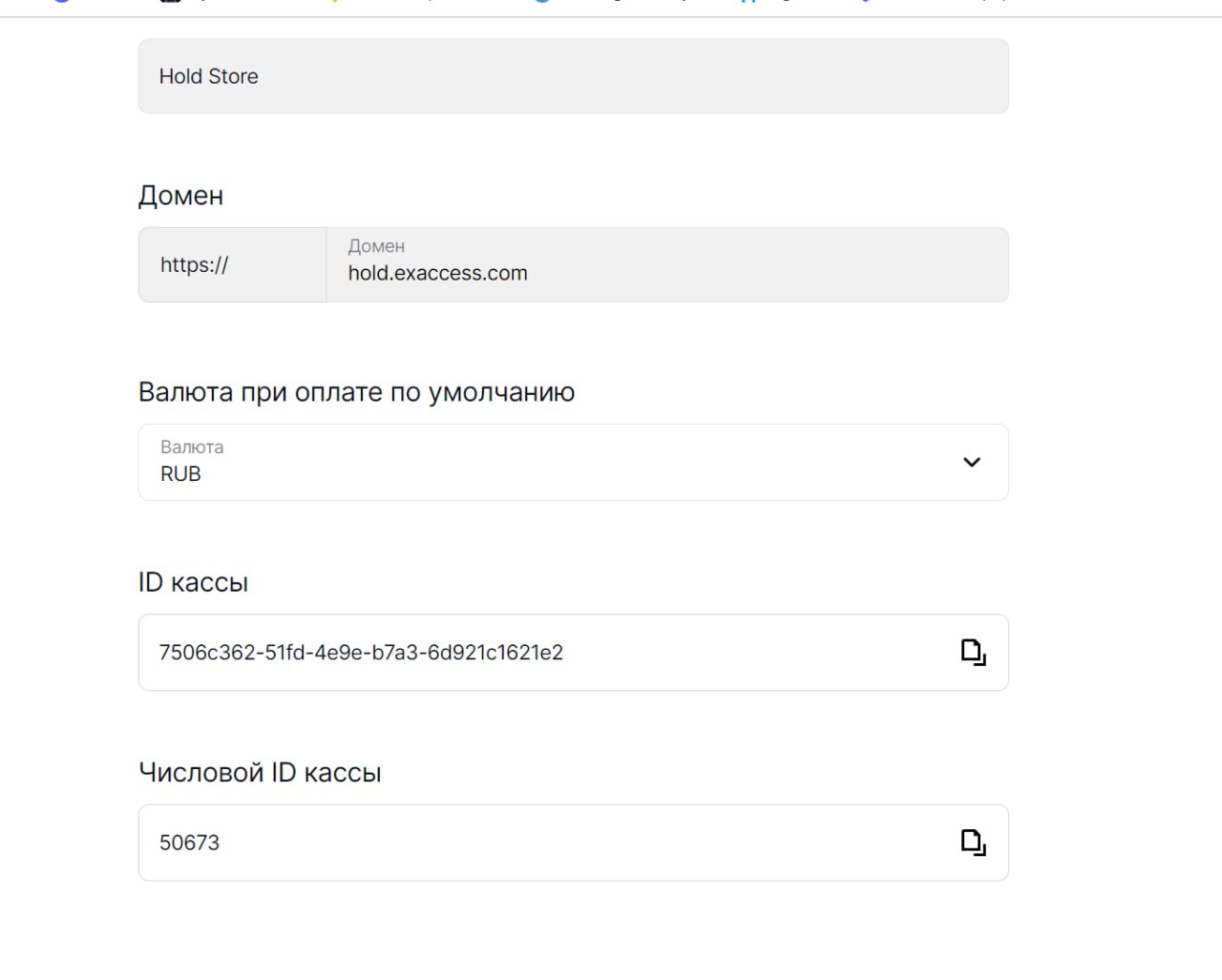 You need to fill in the key fields and cash register number on the website.
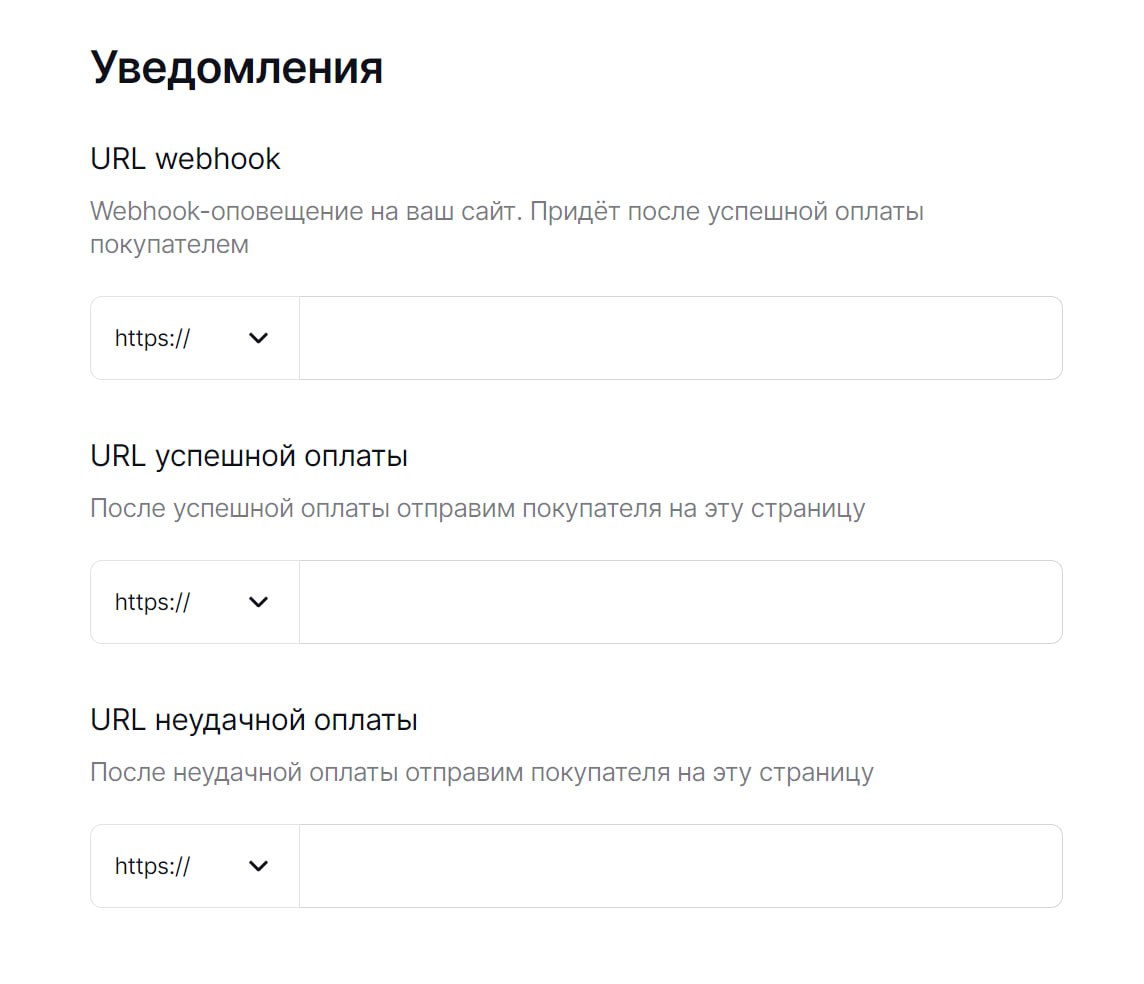 After entering all the settings. You need to copy the handler link from our website (It is located below, after the save button)