 Setting up the payment system begins with registration on the website https://tochka.com
Important! The payment system is not suitable for individuals; you must be at least in the status of "Self-employed"

Help Center BOT-T
Find answers, learn how to use the service, and get help from our team.
For example: payment, plans, Telegram bot, reviews...

Search results
Setting up the payment system begins with registration on the website https://tochka.com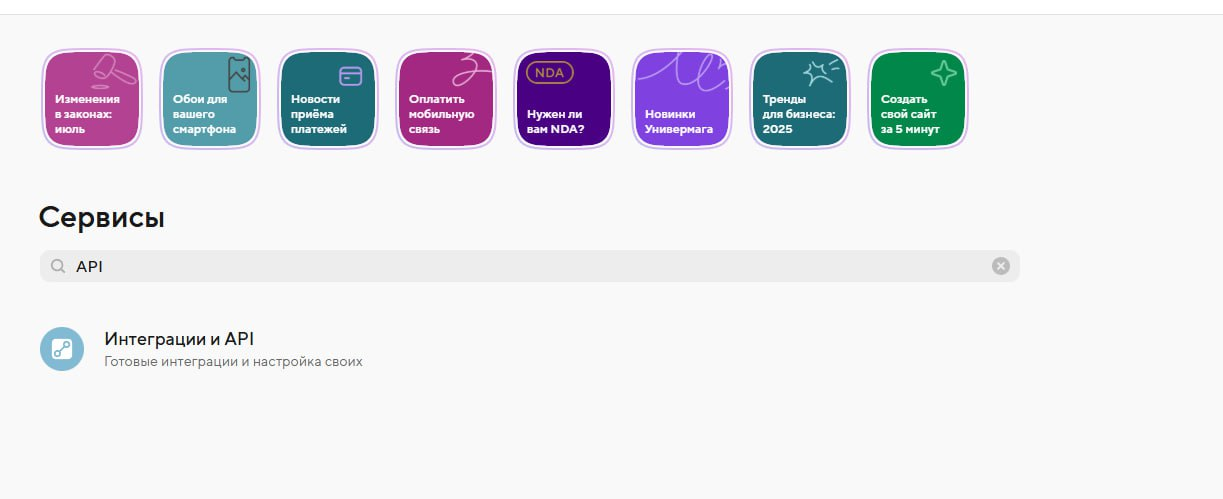 Go to the "Services" - "Integrations and API" section and be sure to enable this parameter
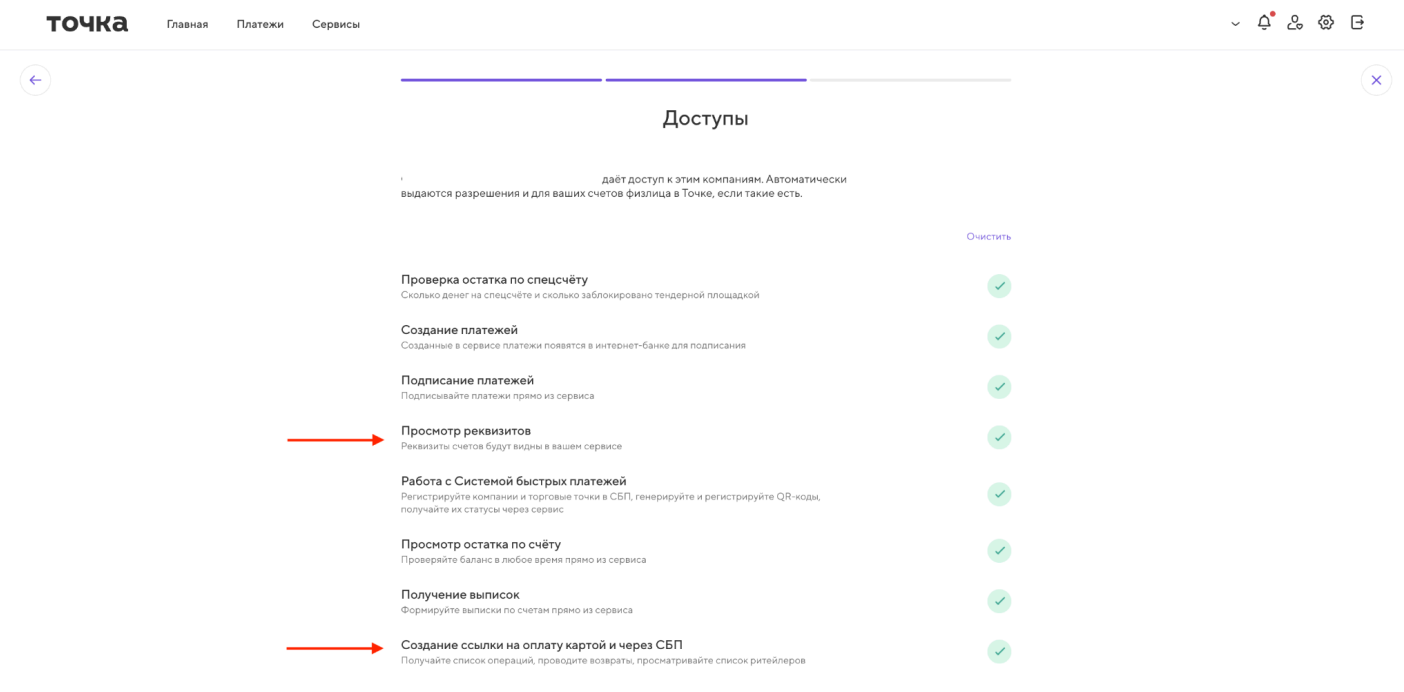 The next step is to grant access for the sole proprietor or LLC to which acquiring was connected, for viewing company details and creating a payment link on the TCHKA BANK website.
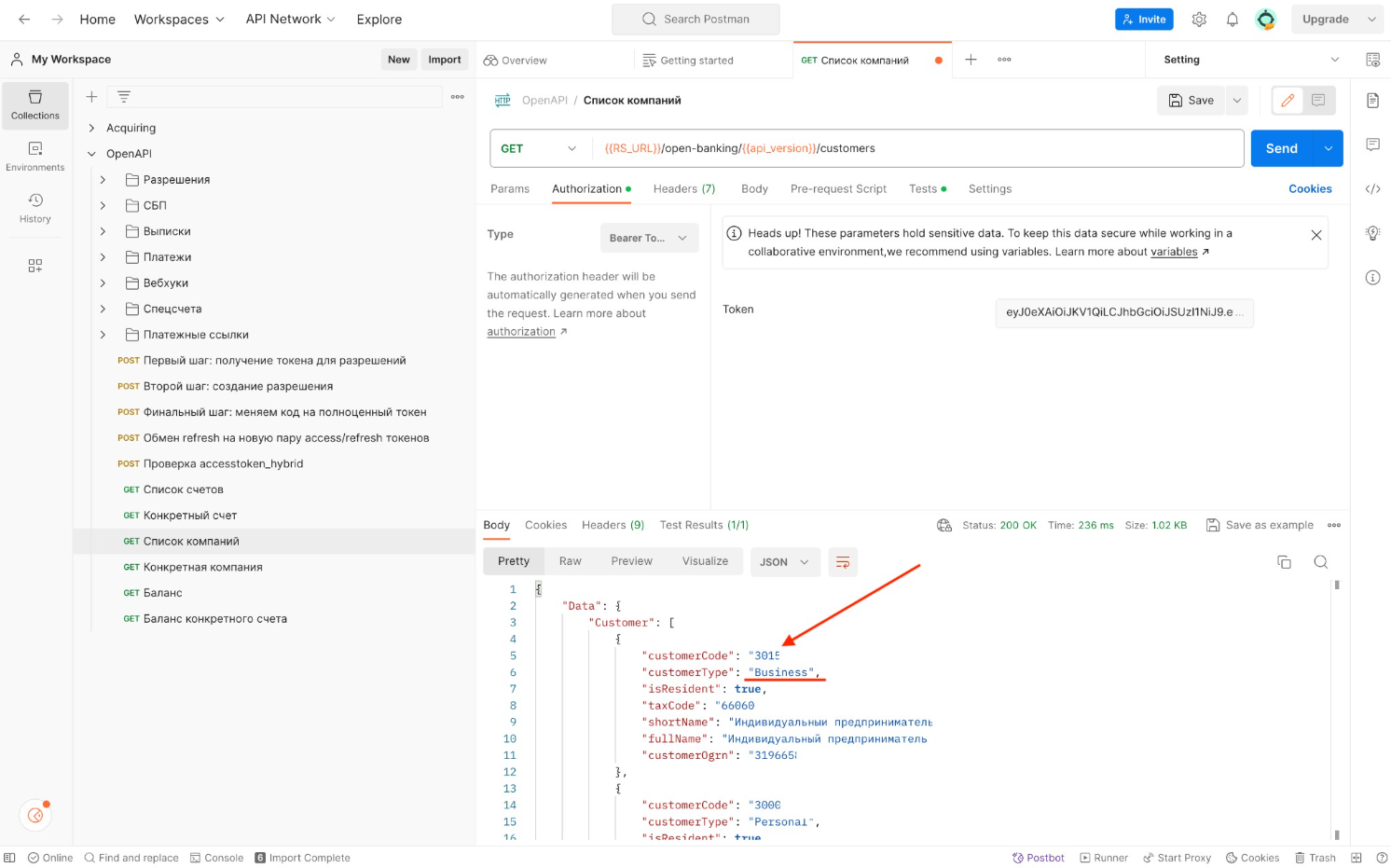 Go to the link and immediately navigate to page No. 6.
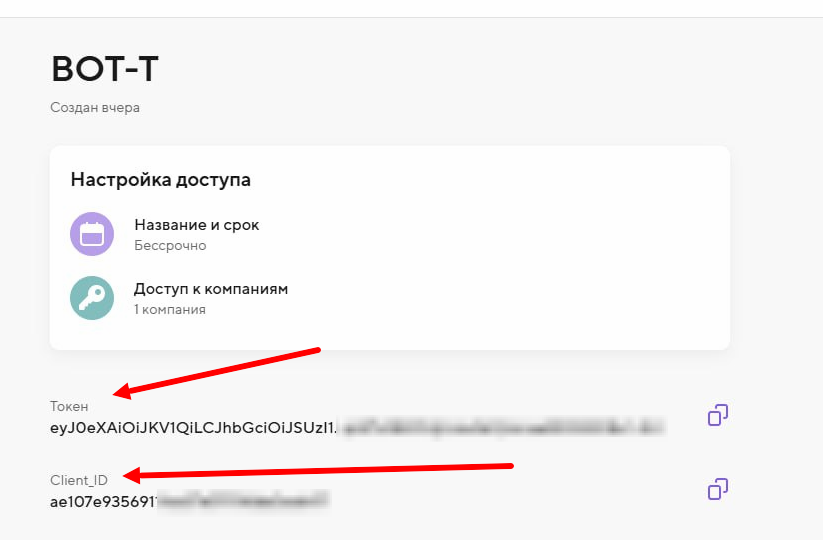 We return to the TOCHKA BANK website, go to the settings of the created acquiring service, and copy the Token and client_id — we will also need them when setting up on the BOT-T website
 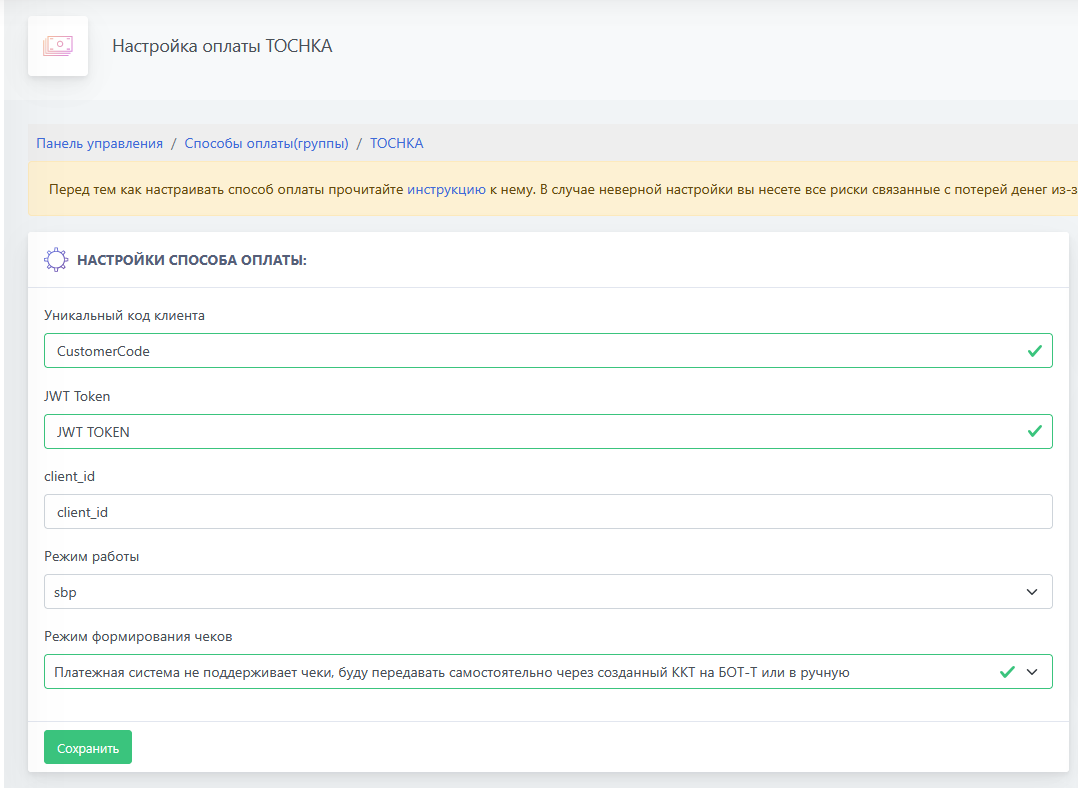 We go to the payment method settings on the BOT-T website and enter all the previously copied data, as well as choose the acquiring operation mode and receipt generation mode that are convenient for you