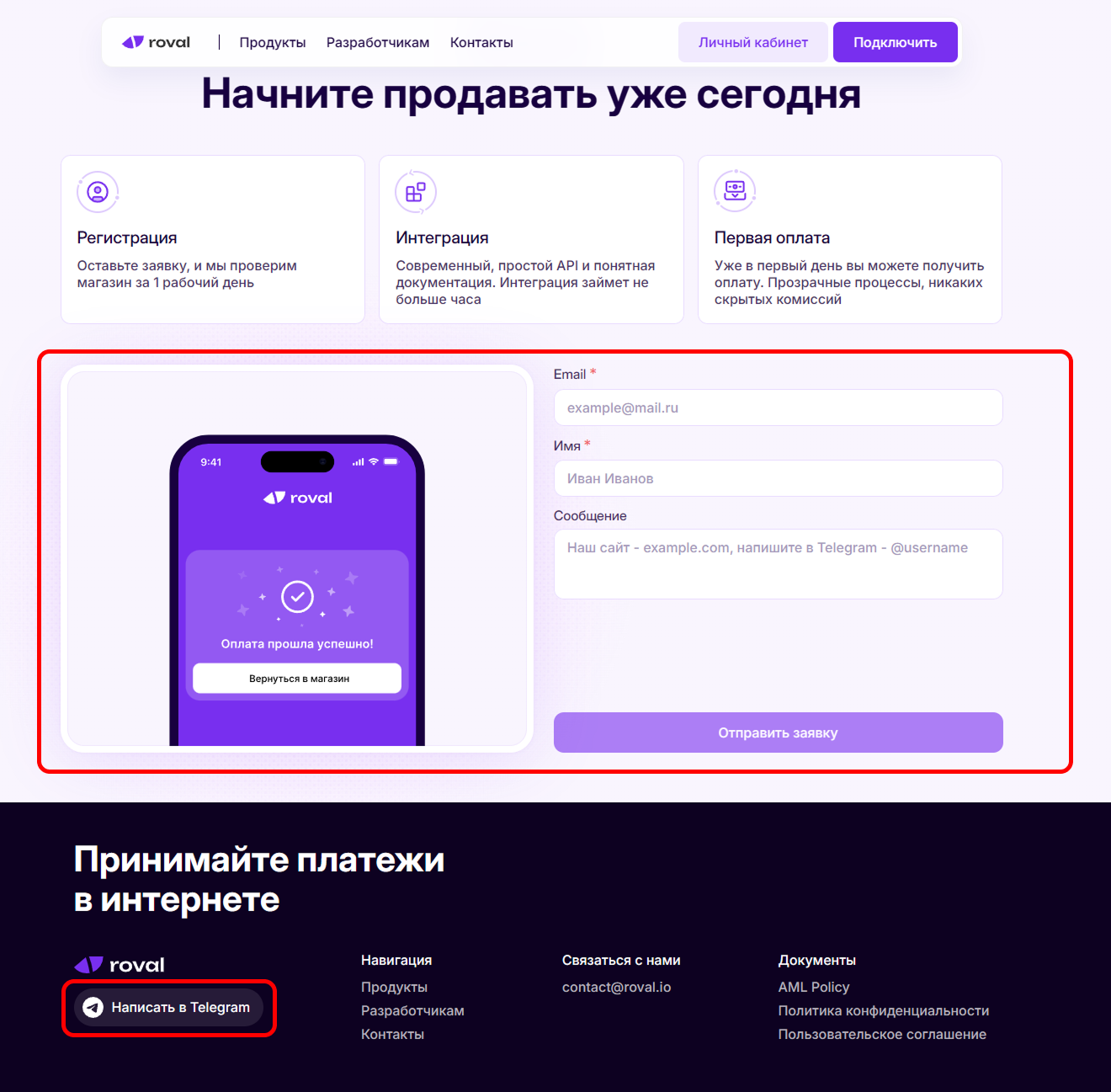
 Leave a request on the website roval.io or write in Telegram. At the next stages, the manager will suggest filling in the store details.
As soon as the store passes moderation, you will receive the login and password for the account.

Help Center BOT-T
Find answers, learn how to use the service, and get help from our team.
For example: payment, plans, Telegram bot, reviews...

Search results
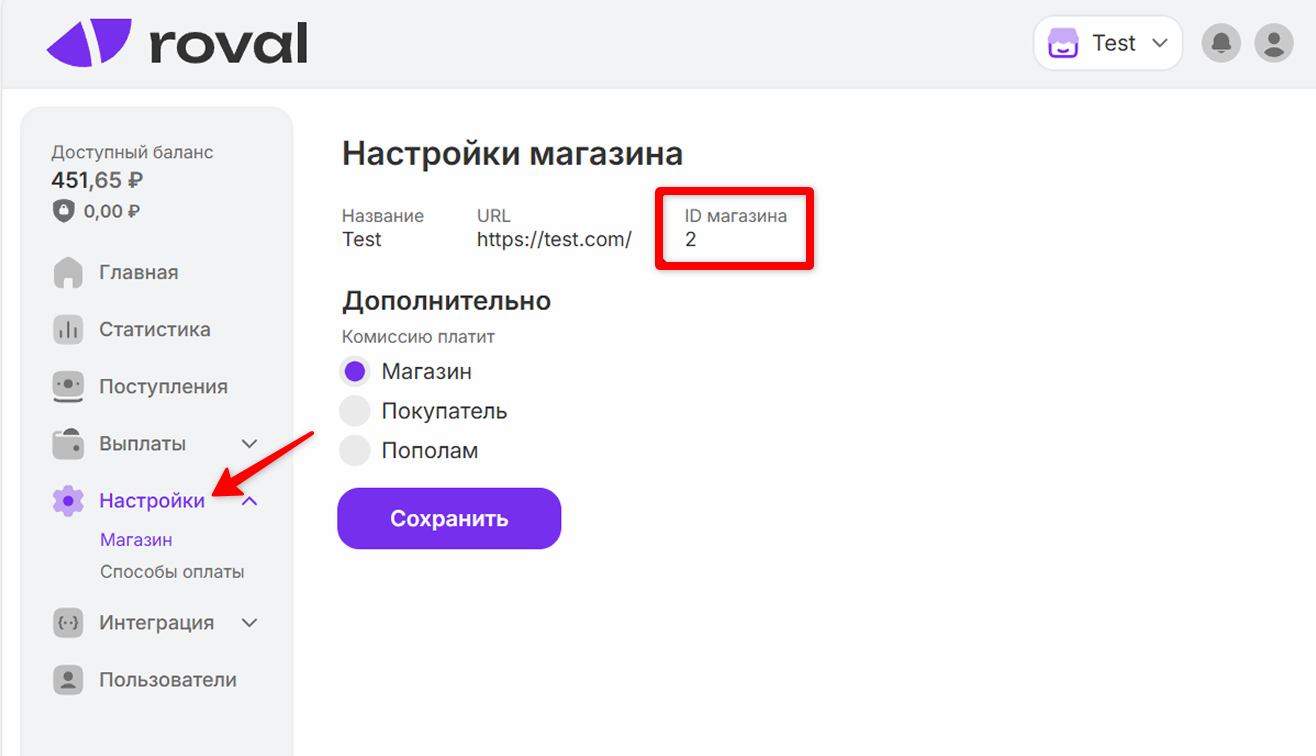 After successful moderation of the store and authorization on the roval website, go to the "Settings" section -> "Store" and copy the ID - it will be needed for further setup on the bot-t.com website.
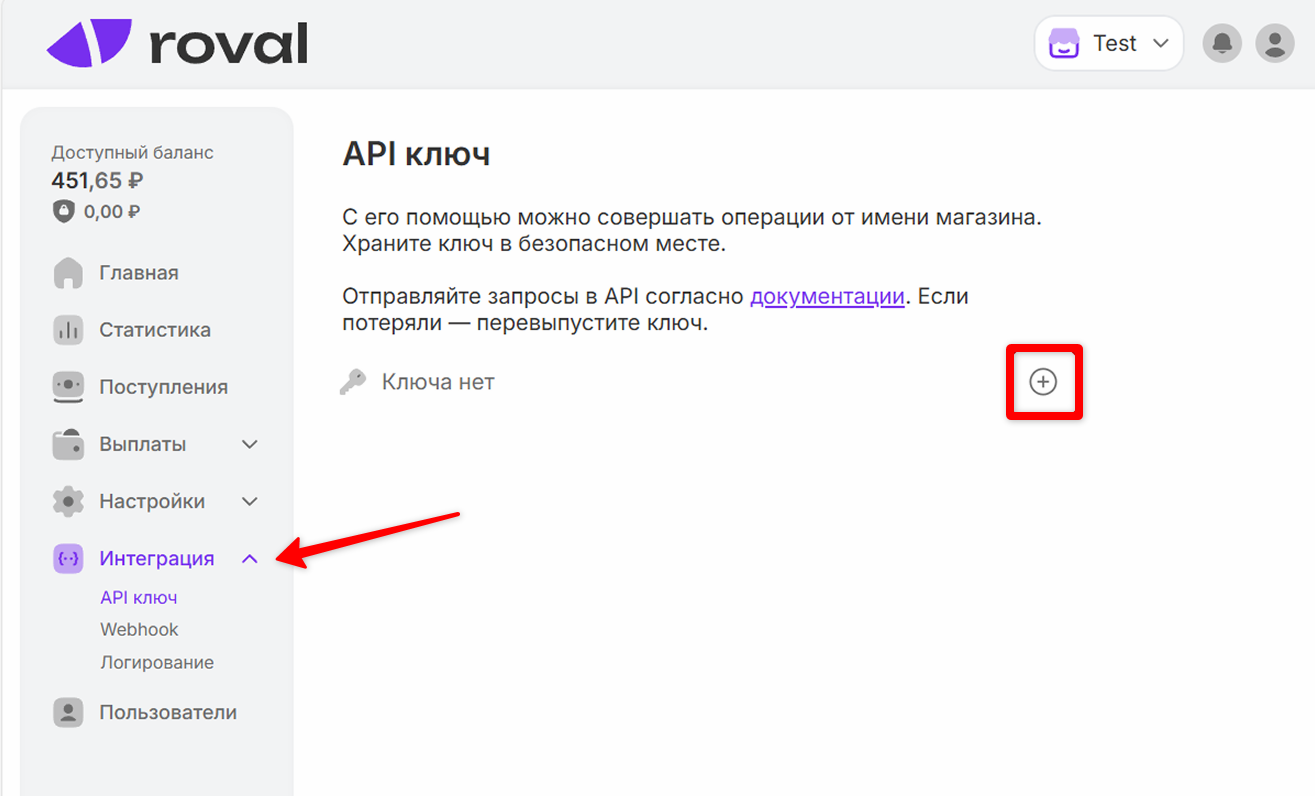 Next step - go to the "Integration" section and create an API key, after the key is issued, also copy it, just like the store ID.
 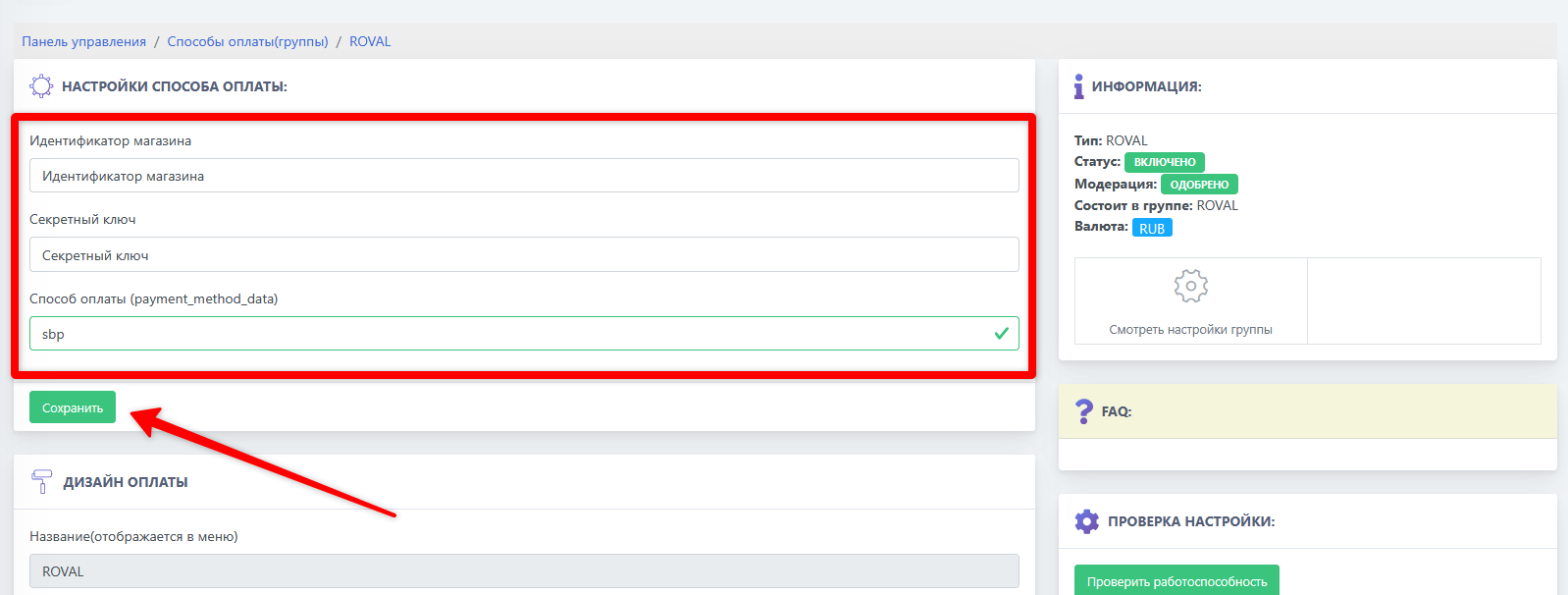 Final step of setup - go to the bot-t.com website and enter the previously copied store data, then click the "Save". button.