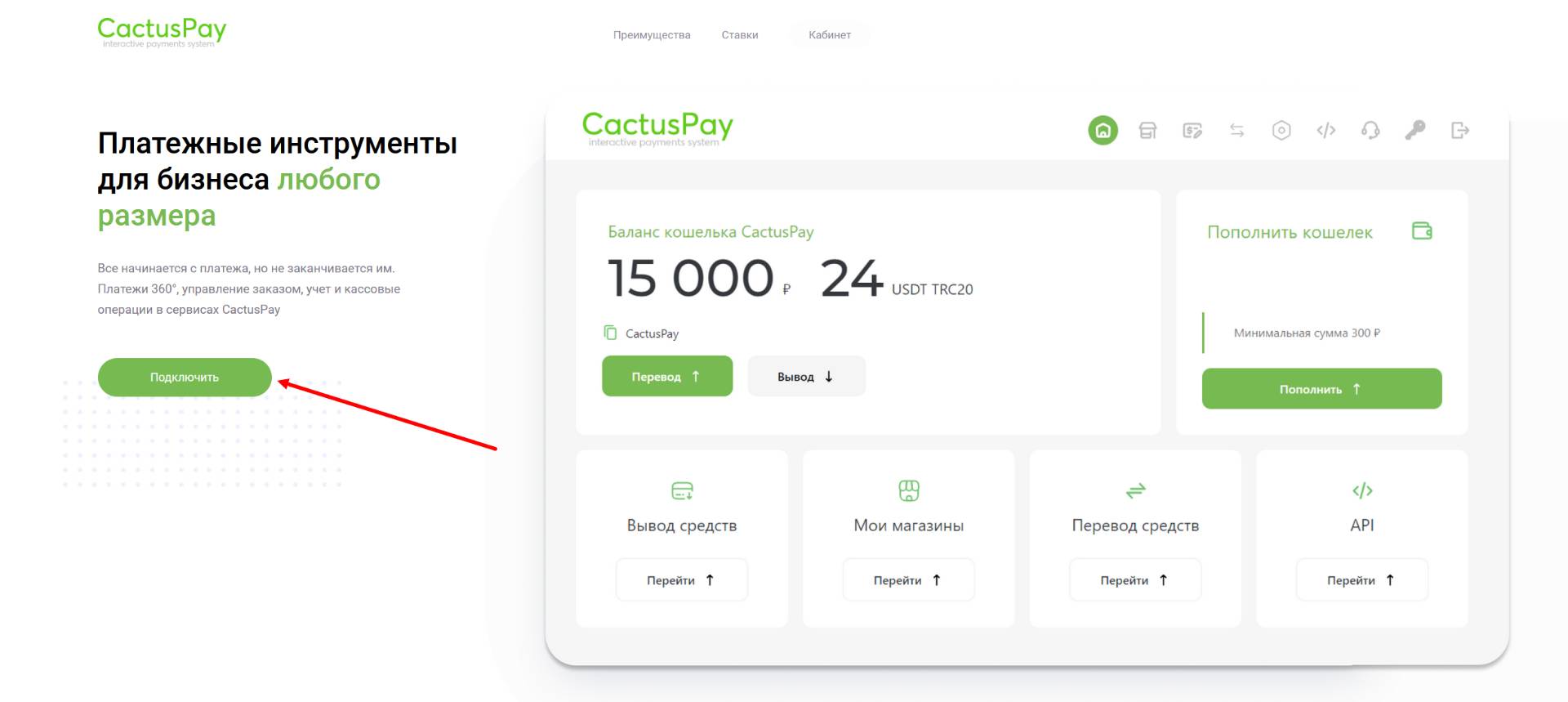
 CactusPay - a payment system, supporting convenient payment acceptance methods using Russian cards, cryptocurrency, YooMoney, Steam, and Payeer.
To connect CactusPay, you first need to register on the payment system's website.

Help Center BOT-T
Find answers, learn how to use the service, and get help from our team.
For example: payment, plans, Telegram bot, reviews...

Search results
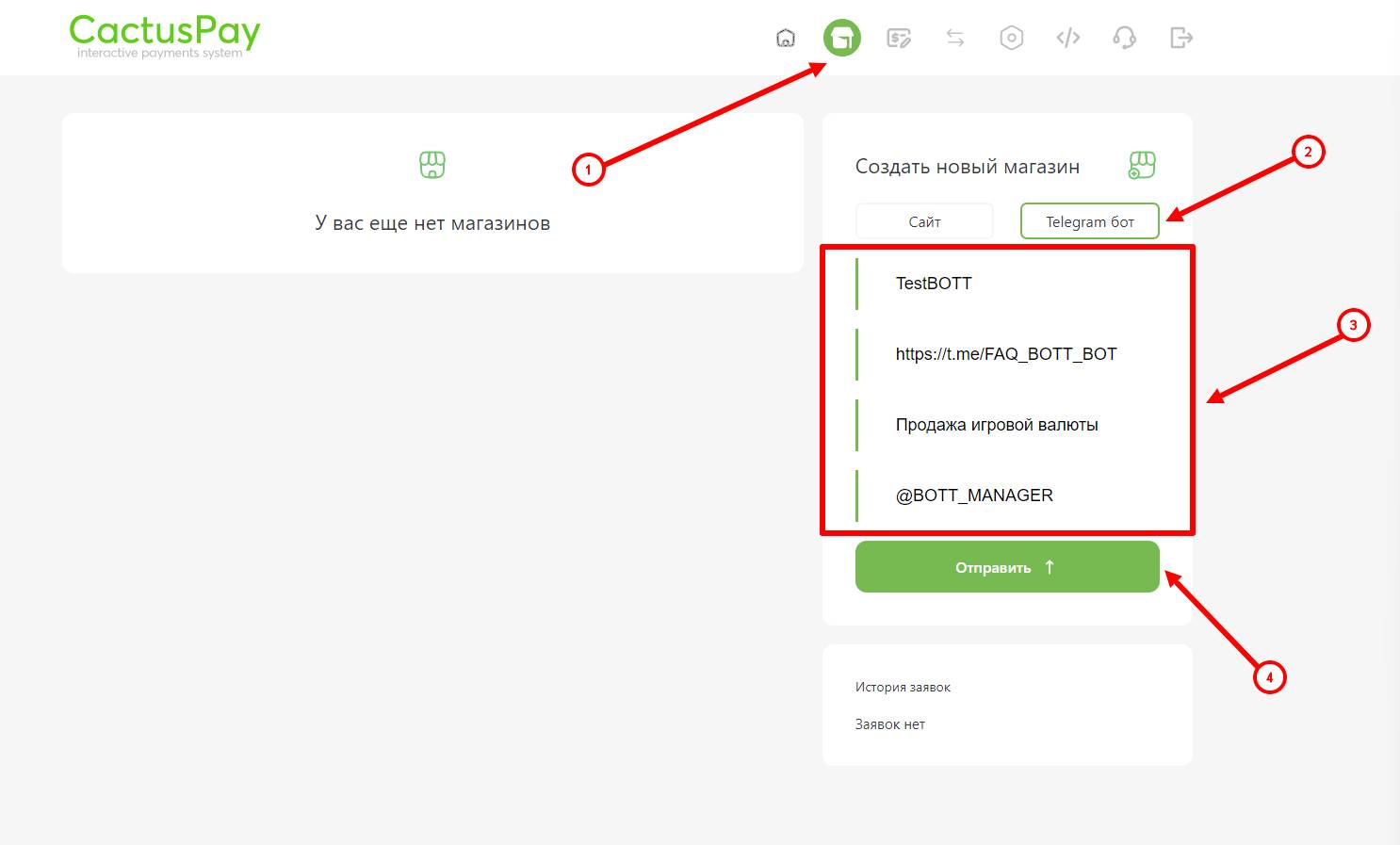 After successful registration on the CactusPay website, we move on to the important step - submitting the project for moderation, following these instructions:
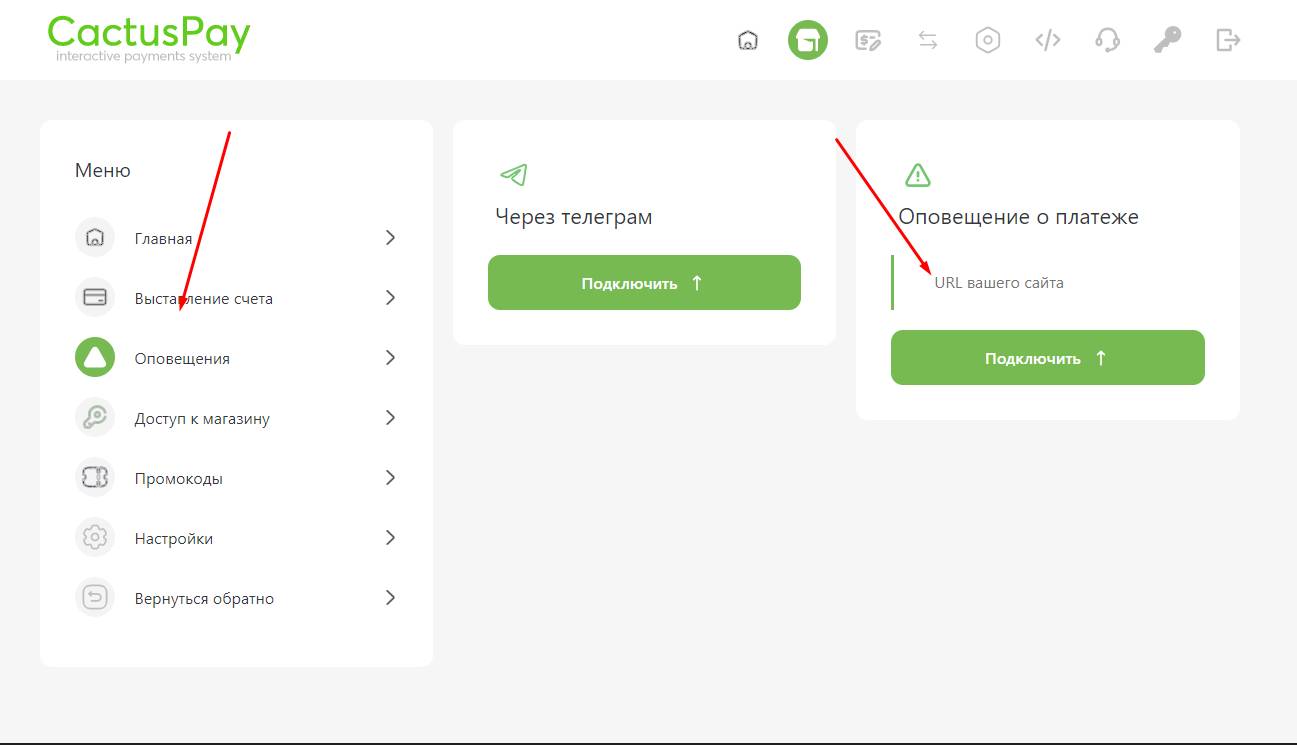 After successful moderation of your project, you need to specify the following link on the CactusPay website in the "Settings" section of the created checkout in the Success URL field:
https://api.bot-t.com/payment/cactus-pay 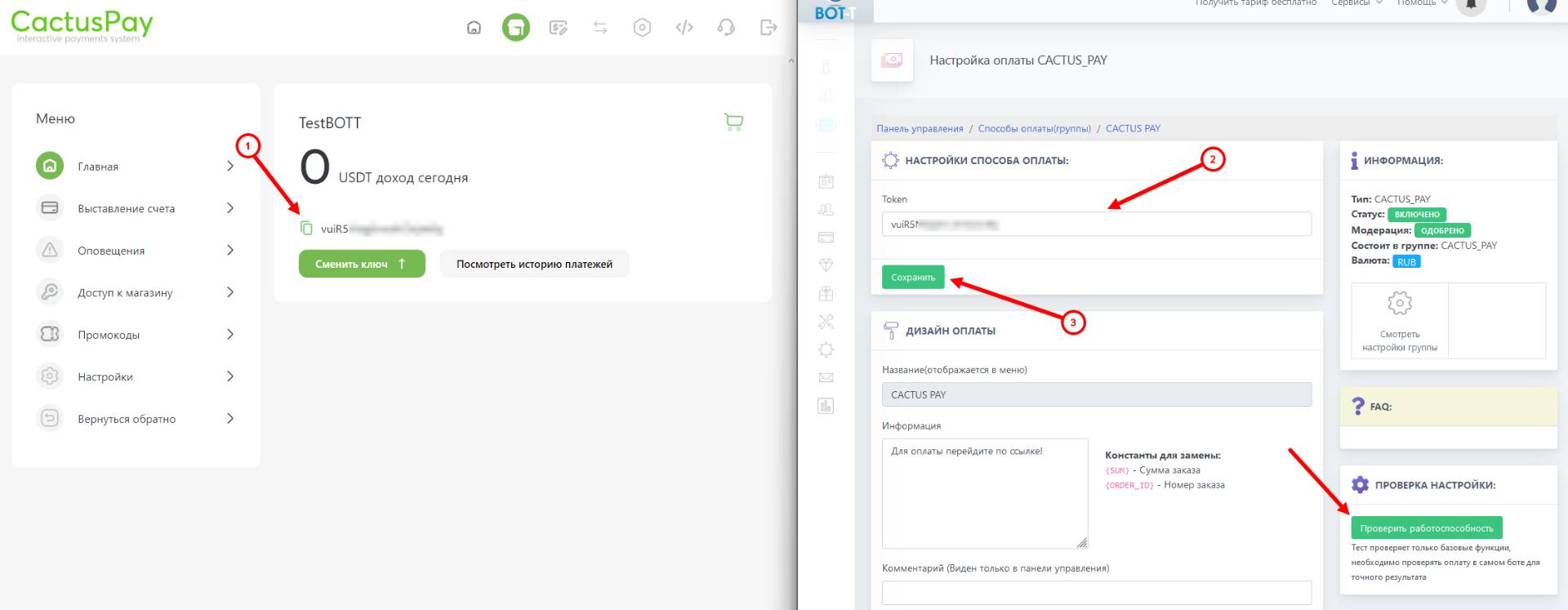 Final step of setting up CactusPay: on the merchant website, in the "Home" section, copy the token of the created cash register and paste it on the BOT-T website into the Token field in the payment method settings.